
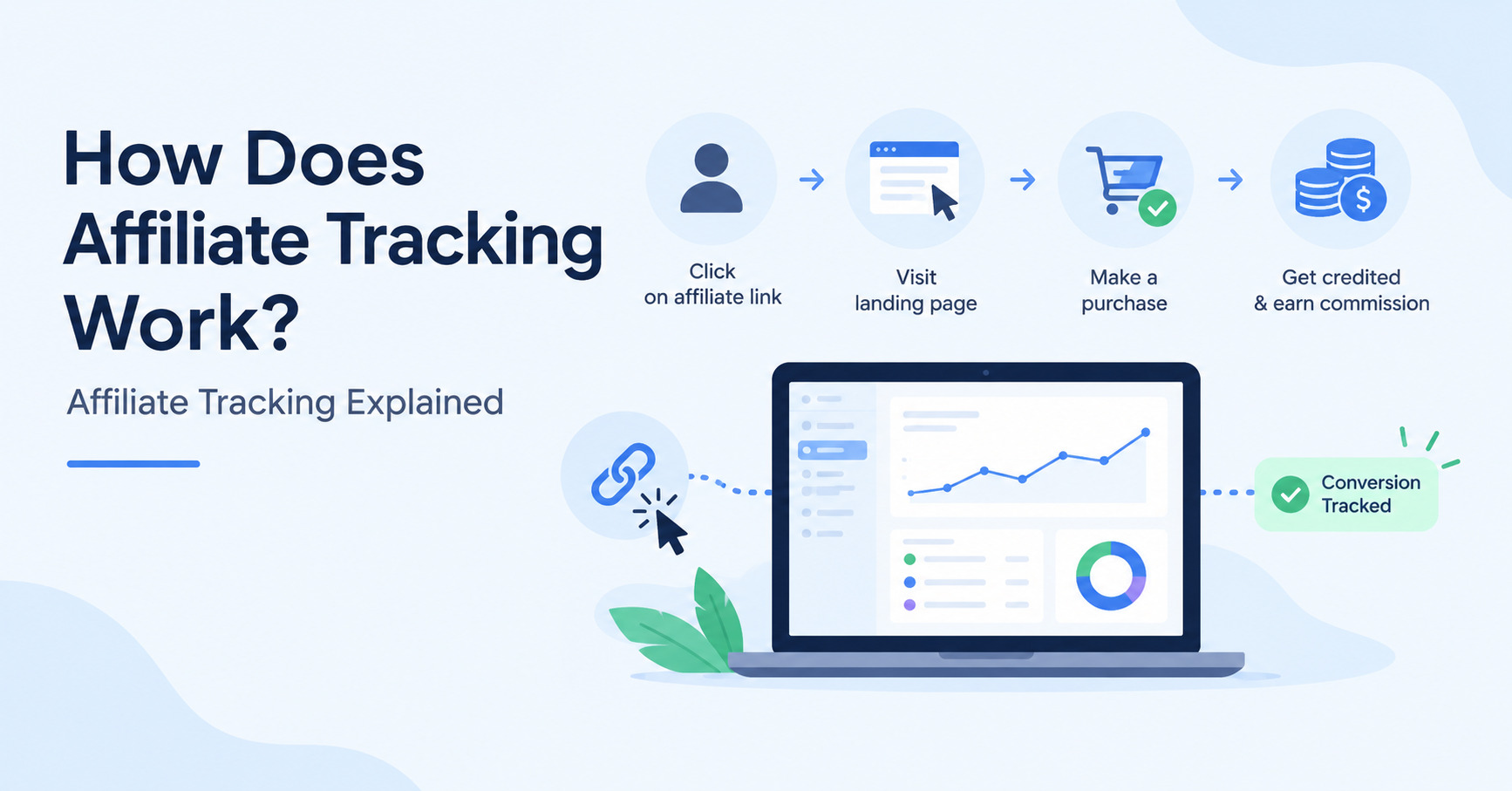
How does affiliate tracking work? Learn how affiliate links, cookies, tracking IDs, conversions, attribution, commissions and payouts work.
If you’ve ever clicked an affiliate link and wondered how the company knows which affiliate referred you, the answer is affiliate tracking.
Affiliate tracking is the technology used to connect an affiliate’s promotional activity with a visitor and, ultimately, a conversion. It allows businesses to determine which affiliate generated a sale or lead and calculate the commission associated with that conversion.
But how does the process actually work?
In this guide, we’ll explain how affiliate tracking works from the moment someone clicks an affiliate link to the moment a commission is calculated and paid.
We’ll cover tracking parameters, affiliate cookies, conversion events, affiliate attribution, commission calculations, payouts, common tracking problems, server-to-server tracking, and how tracking platforms solve these challenges.
We’ll also use Trackdesk as an example to show how a modern affiliate tracking system can handle the process.
How Does Affiliate Tracking Work?
At a high level, affiliate tracking follows a simple sequence:
Affiliate link → Click → Tracking data → Cookie or Click ID → Conversion → Attribution → Commission → Payout
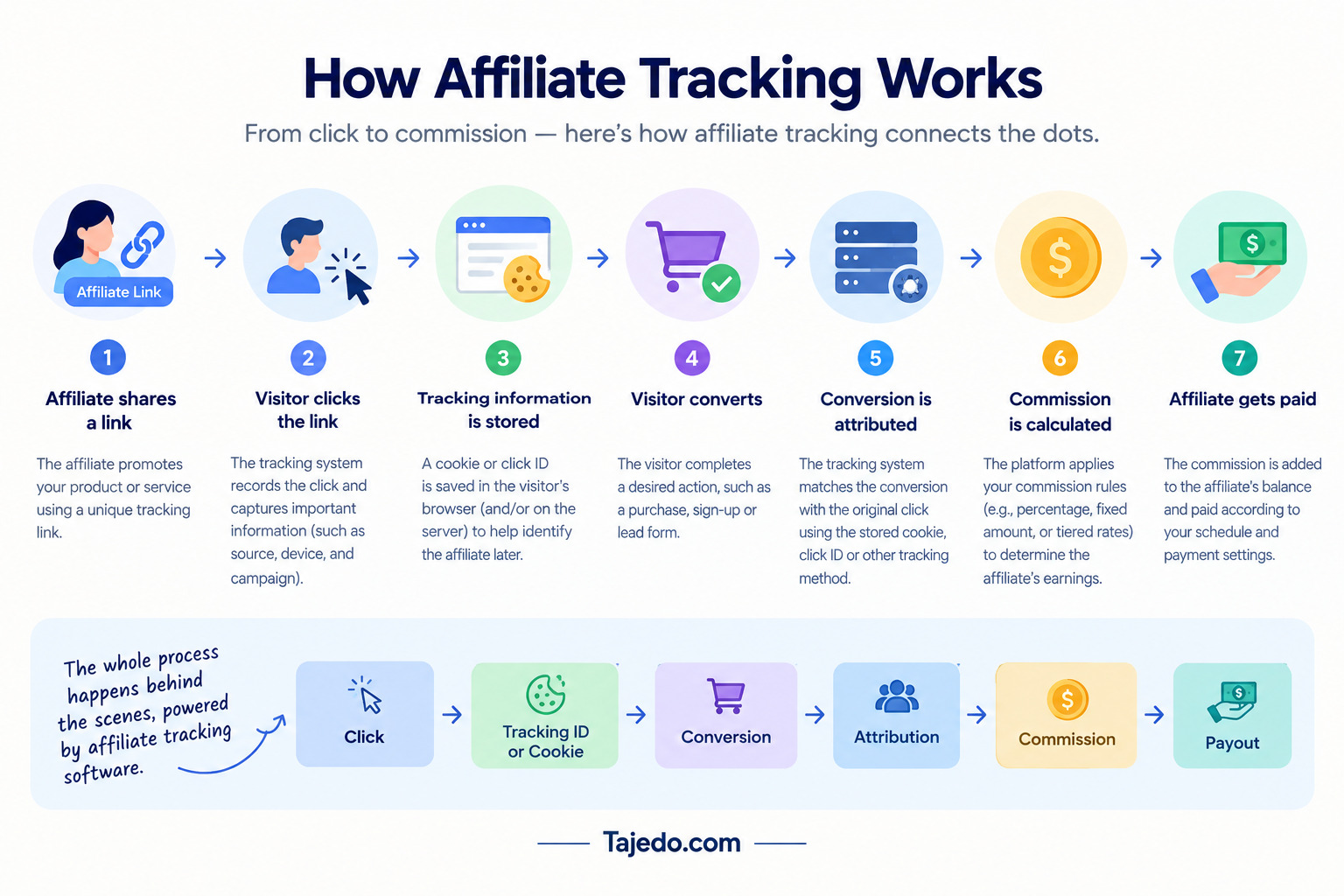
Here’s a simplified example.
Imagine an affiliate named Sarah is promoting a software product.
Sarah receives a unique affiliate link:
http://hyros.com/affiliate-grow.html?fpr=peter-87
A visitor clicks Sarah’s link.
The tracking system records the click and associates it with Sarah’s affiliate account. Depending on the tracking setup, information about the click can be stored using a cookie, click ID, URL parameters, or another tracking mechanism.
The visitor later purchases the product.
The affiliate tracking system receives the conversion information and attempts to match it with Sarah’s original referral.
If the conversion meets the program’s attribution rules, Sarah receives credit for the sale.
The system can then calculate her commission and include the amount in her affiliate balance.
That’s the basic idea behind affiliate tracking.
Now let’s break down each step.
1. What Happens When Someone Clicks an Affiliate Link?
The process starts with an affiliate link.
An affiliate link is a URL containing information that identifies the affiliate or referral source.
For example:
http://hyros.com/affiliate-grow.html?fpr=peter-87
The exact structure varies between affiliate programs and tracking platforms.
When the visitor clicks the link, the tracking system needs to determine several things:
- Which affiliate generated the click?
- Which offer or product is being promoted?
- Which landing page should the visitor see?
- When did the click happen?
- What additional tracking information is associated with the click?
Modern affiliate tracking platforms may also record additional information such as device, location, language, traffic source, or campaign parameters.
Trackdesk, for example, provides affiliate tracking links that identify the affiliate and landing page associated with a click. It also allows additional parameters such as AffS1 through AffS5 to be attached to links for tracking traffic sources, campaigns, placements, and other information.
There are generally two common ways an affiliate link can work.
Direct affiliate links
A direct tracking link sends the visitor directly to the advertiser’s landing page.
The tracking information is passed along with the URL, and a tracking script or another integration on the website records the click.
Trackdesk describes direct linking as sending visitors directly to the landing page, with tracking parameters attached to the URL.
Redirect affiliate links
A redirect link sends the visitor through a tracking domain before sending them to the advertiser’s website.
The flow looks like this:
Affiliate link → Tracking platform → Advertiser website
The tracking platform can record the click and apply rules before redirecting the visitor.
For example, a platform may select a landing page based on location, device, operating system, or language.
Trackdesk supports both direct and redirect tracking. Its redirect system can use visitor characteristics to select an appropriate landing page.
2. Tracking Parameters
Tracking parameters are pieces of information attached to an affiliate link or passed through the tracking process.
They help the tracking system understand where a click came from.
For example, an affiliate link might contain information identifying:
- Affiliate
- Campaign
- Traffic source
- Advertisement
- Placement
- Content variation
- Click ID
A simplified URL could look like:
https://trackdesk.com/?linkId=lp_413822&sourceId=peter-gisiri&tenantId=affiliates
The actual parameters depend on the tracking platform.
Trackdesk allows affiliates to append AffS1 through AffS5 parameters to tracking URLs.
These parameters can be used to pass additional information such as:
- Campaign ID
- Ad set
- Placement
- Content variation
This can provide more granular information when analyzing affiliate traffic.
For example, an affiliate might use one tracking parameter to distinguish traffic from YouTube and another to identify a particular promotional campaign.
That means the business doesn’t just know:
“Affiliate A generated this click.”
It can potentially determine:
“Affiliate A generated this click from this particular campaign or traffic source.”
That additional information can be valuable when analyzing performance.
3. Cookies
Cookies are another important part of affiliate tracking explained.
When someone clicks an affiliate link, a tracking system may save information in the visitor’s browser.
That information can help identify the affiliate referral when the visitor converts later.
For example:
Affiliate click → Cookie stored → Visitor leaves → Visitor returns → Purchase → Cookie helps identify referral
This becomes important because customers don’t always purchase immediately.
Someone might click an affiliate link today but return to the website three days later to purchase.
If the tracking cookie is still valid, it may allow the conversion to be connected to the original affiliate click.
What is an affiliate cookie?
An affiliate cookie is a browser cookie used to retain information about an affiliate referral.
The cookie may contain or reference information needed to connect subsequent activity with the affiliate click.
However, cookies have limitations.
Visitors can:
- Delete cookies
- Block cookies
- Use privacy settings
- Switch browsers
- Use different devices
- Have browser restrictions that affect tracking
Modern affiliate tracking systems therefore don’t necessarily depend exclusively on cookies.
Trackdesk, for example, supports cookie-based attribution while also using click IDs and server-side attribution controls. Its current documentation allows businesses to configure cookie expiration and a separate server-side attribution expiration.
How long do affiliate cookies last?
The duration depends on the affiliate program and tracking platform.
Trackdesk currently documents a default cookie duration of 30 days, with the ability to configure the duration up to a maximum of 365 days.
The important point is that cookie duration is only one part of attribution.
A platform can also have a separate server-side attribution window.
4. Conversion Events
A click alone doesn’t normally generate an affiliate commission.
The visitor must complete an action defined as a conversion.
A conversion event could be:
- A purchase
- A lead submission
- A free-trial signup
- A subscription
- An app installation
- A booking
- Another qualifying action
For an ecommerce business, the conversion might be a completed order.
For a SaaS company, it could be a paid subscription.
For a lead-generation company, it might be a qualified lead.
Trackdesk currently defines conversions as successful actions taken by visitors after clicking a tracking link. Its default conversion types include Lead, Sale, and Free trial, and conversion types can also be customized.
The conversion event needs to send enough information to the tracking system for it to determine where the conversion came from.
For example:
Customer purchases → Conversion event fires → Tracking platform receives conversion → Affiliate identified
The conversion can then be used to calculate the affiliate’s commission.
5. Affiliate Attribution
This is one of the most important concepts in affiliate marketing.
Affiliate attribution determines which affiliate receives credit for a conversion.
This sounds simple when a customer clicks one affiliate link and immediately makes a purchase.
But what happens when the customer interacts with multiple affiliates?
For example:
Monday: Customer clicks Affiliate A.
Tuesday: Customer clicks Affiliate B.
Wednesday: Customer purchases.
Who gets the commission?
The answer depends on the program’s attribution rules.
First-touch attribution
With first-touch attribution, the affiliate responsible for the first qualifying click receives credit.
In the example above:
Affiliate A gets the conversion.
Last-touch attribution
With last-touch attribution, the most recent qualifying affiliate click receives credit.
In the example above:
Affiliate B gets the conversion.
Trackdesk currently allows businesses to configure either first-touch or last-touch attribution.
This is why you shouldn’t assume that every affiliate program uses the same attribution model.
Attribution windows
Attribution can also depend on how much time passes between the click and conversion.
For example, a program might allow a conversion to be attributed for 30 days after the click.
A customer clicks on January 1 and purchases on January 15.
The conversion falls inside the 30-day window.
But if the customer purchases several months later, the original click may no longer qualify.
Trackdesk has both cookie expiration and attribution expiration settings.
Cookie expiration determines how long the browser retains the tracking cookie.
Attribution expiration is a server-side limit on how long a click remains eligible for attribution.
This distinction is important because a valid cookie does not necessarily mean that a conversion will always be attributed.
6. Commission Calculation
Once the conversion has been attributed to an affiliate, the system can calculate the commission.
Suppose an affiliate program pays 20% on sales.
A customer purchases a $200 product.
The calculation would be:
$200 × 20% = $40 commission
But affiliate programs can use many different commission structures.
For example:
Percentage commission
The affiliate receives a percentage of the sale.
$500 sale × 10% = $50 commission
Fixed commission
The affiliate receives a predefined amount.
One qualifying sale = $25 commission
Recurring commission
The affiliate receives commissions on recurring subscription payments according to the program’s rules.
Tiered commission
The commission rate changes when an affiliate reaches specific performance levels.
For example:
- 1–10 sales: 10%
- 11–25 sales: 15%
- 26+ sales: 20%
The tracking platform uses the conversion data and the affiliate program’s commission rules to determine the amount owed. Check our Free Affiliate Commission Calculator
7. Payouts
After conversions are tracked and commissions calculated, the affiliate needs to be paid.
The overall process becomes:
Click → Conversion → Attribution → Commission → Affiliate balance → Payout
Depending on the platform, businesses may be able to:
- Review affiliate balances
- Approve commissions
- Reject invalid conversions
- Set payout thresholds
- Schedule payments
- Export payout information
- Connect payment providers
The payout stage is separate from the initial tracking event.
Tracking determines who generated the conversion.
Commission management determines how much they earned.
Payout management determines how and when they receive the money.
Keeping these stages separate makes it easier to understand what affiliate software actually does.
8. Common Affiliate Tracking Problems
Affiliate tracking can fail or become inaccurate for several reasons.
Understanding these problems is important when choosing affiliate software.
Cookies are blocked or deleted
If a tracking system depends heavily on browser cookies, deleted or blocked cookies can make attribution more difficult.
This is one reason modern tracking platforms can use additional tracking methods.
The visitor changes devices
Suppose someone clicks an affiliate link on their phone but purchases from their laptop.
The tracking system may have difficulty connecting the two events if there isn’t another identifier tying them together.
Tracking code isn’t installed correctly
If the website’s tracking script isn’t installed correctly, clicks or conversions may not be recorded.
Trackdesk’s documentation states that its click script is required for most direct-linking integrations and should be installed on the relevant pages where clicks need to be tracked.
Conversion events aren’t configured correctly
A customer may complete a purchase, but if the conversion event isn’t sent correctly to the tracking platform, the sale may not appear as an affiliate conversion.
Multiple affiliates interact with the customer
When multiple affiliate clicks occur, the program needs clear attribution rules.
Otherwise, affiliates can disagree about who should receive credit.
Coupon codes complicate attribution
A customer may not use an affiliate link but may use an affiliate’s coupon code.
Modern tracking platforms can therefore support coupon-based attribution as another method of identifying the affiliate.
Trackdesk allows conversions to be attributed to affiliates when customers redeem assigned coupon codes at checkout.
Tracking parameters are lost
A tracking ID or other parameter may disappear as the customer moves through a website or external system.
If the identifier isn’t preserved until the conversion occurs, the tracking platform may not know which affiliate generated the customer.
These problems are some of the reasons businesses use dedicated affiliate tracking platforms rather than attempting to build tracking manually.
9. Server-to-Server Tracking
Server-to-server tracking, often abbreviated as S2S tracking, moves part of the tracking process away from the visitor’s browser.
Instead of relying entirely on browser-side cookies or scripts, one server communicates conversion information directly to another server.
A simplified flow looks like this:
Affiliate click → Click ID → Customer converts → Merchant server → Tracking platform → Conversion attributed
One important advantage is that server-to-server tracking can reduce reliance on browser-based tracking mechanisms.
Trackdesk’s affiliate postback documentation describes a system where a unique Click ID is passed through the tracking flow and used to connect the initial click with the eventual conversion. After the conversion is created, Trackdesk can send a postback to the affiliate tracking platform.
Trackdesk describes this approach as communicating directly between servers and notes that it can bypass common browser limitations such as cookie blocking, privacy settings, and ad blockers.
This doesn’t mean S2S tracking solves every attribution problem.
The systems still need to pass the correct identifiers and conversion information.
If the click ID is missing or the integration is incorrectly configured, the conversion may still fail to attribute correctly.
10. How Tracking Platforms Solve These Problems
A modern affiliate tracking platform brings multiple tracking mechanisms together.
Instead of relying on one technology, the platform can combine:
- Tracking links
- URL parameters
- Click IDs
- Cookies
- Conversion scripts
- APIs
- Server-to-server tracking
- Coupon attribution
- Postbacks
- Attribution rules
- Reporting
This creates a more complete tracking system.
For example:
1. Affiliate generates tracking link
↓
2. Visitor clicks
↓
3. Platform records click
↓
4. Click ID and/or cookie are associated with the visitor
↓
5. Visitor reaches landing page
↓
6. Visitor purchases
↓
7. Conversion event is sent
↓
8. Platform identifies eligible affiliate
↓
9. Commission is calculated
↓
10. Conversion appears in reporting
↓
11. Affiliate balance is updated
This is essentially what people mean when they talk about affiliate conversion tracking.
The technology can become more sophisticated as the business grows, but the underlying objective remains the same:
Connect the conversion to the correct referral source.
11. Trackdesk Example

Let’s use Trackdesk to illustrate how the process can work in practice.
Imagine an ecommerce business creates an affiliate offer in Trackdesk.
The business adds its landing page and affiliate commission rules.
An affiliate joins the program and generates a tracking link.
The affiliate shares that link in a blog post.
A reader clicks the link.
Depending on the configured tracking method, the visitor can either go directly to the landing page or pass through Trackdesk’s redirect tracking flow. Trackdesk records the click and associates it with the affiliate.
The visitor then browses the website.
Trackdesk’s tracking system can retain the attribution information through mechanisms such as cookies and click IDs.
If the visitor purchases, the business sends a conversion event to Trackdesk.
Trackdesk then evaluates the available attribution information and its configured rules.
For example, its current attribution settings include:
- First-touch or last-touch attribution
- CID or coupon attribution priority
- Cookie expiration
- Server-side attribution expiration
If the conversion qualifies, the system attributes it to the appropriate affiliate.
The business can then use the conversion and commission information for reporting and payout management.
Trackdesk also supports coupon-based attribution. This means an affiliate can receive credit when a customer uses an affiliate-specific coupon code at checkout, even when traditional click tracking isn’t the only source of attribution.
For businesses using direct tracking, Trackdesk’s click script records affiliate clicks on the website. For redirect tracking, Trackdesk can record the click through its redirect flow before sending the visitor to the selected landing page.
This illustrates an important point:
Affiliate tracking isn’t just about putting an affiliate ID in a URL.
A complete system has to manage the entire journey from click to conversion and then connect the conversion with commission and reporting data.
What Happens If the Customer Uses a Coupon?
Coupon attribution provides another example of how modern affiliate tracking works.
Suppose a customer doesn’t click the affiliate’s link.
Instead, they hear about the product from an affiliate and enter that affiliate’s coupon code at checkout.
The tracking platform can use the coupon code to identify the affiliate.
Trackdesk supports this type of attribution and allows coupons to be assigned to individual affiliates and offers.
This can be particularly useful for:
- Influencers
- Podcasts
- YouTube creators
- Offline promotions
- Social media campaigns
- Affiliates whose audiences don’t always click traditional links
Why Attribution Rules Matter
Imagine two affiliates promote the same product.
Customer A clicks Affiliate A’s link.
Later, the customer clicks Affiliate B’s link.
Then the customer purchases.
Without a defined attribution rule, there is no clear answer about who gets the commission.
With a last-touch model, Affiliate B could receive credit.
With a first-touch model, Affiliate A could receive credit.
This is why businesses should define their attribution model before launching an affiliate program.
Trackdesk currently allows first-touch and last-touch attribution, as well as configurable attribution priority between click IDs and coupons.
Final Thoughts
So, how does affiliate tracking work?
The basic process is:
Affiliate link → Click → Tracking information → Cookie/Click ID → Conversion → Attribution → Commission → Payout
The tracking system records the initial referral and then attempts to connect the eventual conversion with that referral.
Cookies can preserve information in the visitor’s browser. Tracking IDs can provide a more precise way of connecting clicks and conversions. Conversion events tell the platform when a desired action occurs. Attribution rules determine which affiliate receives credit, while commission rules determine how much that affiliate earns.
Modern affiliate tracking platforms can combine these technologies with server-to-server tracking, coupon attribution, APIs, reporting, and other mechanisms to make the process more reliable and manageable.
If you’re researching affiliate software, it’s worth understanding these concepts before choosing a platform. The important question isn’t simply whether a tool can generate an affiliate link.
You should also ask:
- How does it record clicks?
- How does it track conversions?
- What happens when cookies are unavailable?
- Does it support click IDs?
- What attribution models are available?
- Can it track coupon-based conversions?
- Does it support server-to-server tracking?
- How are commissions calculated?
- How are affiliate payouts handled?
- What reporting is available?
Once you understand those pieces, comparing affiliate tracking platforms becomes much easier.
And if you’re specifically evaluating Trackdesk, understanding its tracking, attribution, cookie, coupon, and landing-page options can help you determine whether its approach matches your affiliate program requirements.