
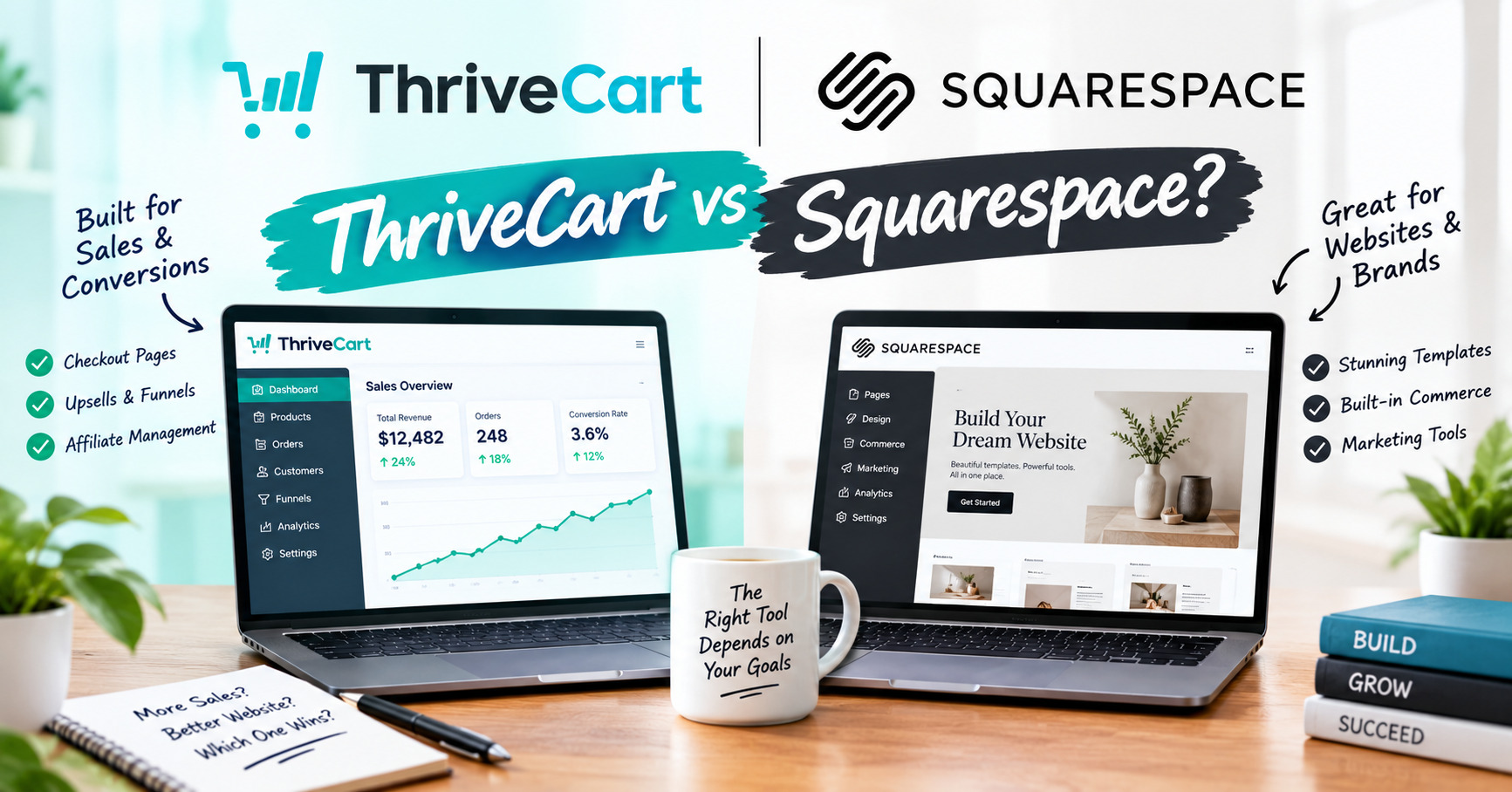
If you’re comparing ThriveCart vs Squarespace, you’re probably looking for a simple way to sell products or services online without stitching together a dozen different tools. But these platforms aren’t built for the same job. ThriveCart focuses on checkout, payments, funnels, and sales optimization, while Squarespace focuses on building a complete website and online store.
So, which one should you choose?
If you already have a website and mainly need a powerful checkout system, ThriveCart may fit better. If you need a website, content, branding, and ecommerce features in one place, Squarespace may make more sense.
Let’s compare their pricing, features, checkout tools, ease of use, and best use cases so you can find the right fit for your business.
ThriveCart vs Squarespace at a Glance
Before getting into the details, here’s the simplest way to understand ThriveCart vs Squarespace.
ThriveCart is mainly a sales and checkout platform. It’s built to help you sell products, courses, memberships, and other offers with tools such as upsells, order bumps, recurring payments, and sales funnels.
Squarespace is mainly a website builder with ecommerce features. It lets you create a website, publish content, showcase your brand, and sell products from the same platform.
| Category | ThriveCart | Squarespace |
|---|---|---|
| Main purpose | Checkout and sales optimization | Website building and ecommerce |
| Website builder | No | Yes |
| Ecommerce | Selling and checkout tools | Full online store |
| Digital products | Yes | Yes |
| Physical products | Limited compared with a full ecommerce platform | Yes |
| Courses and memberships | Yes, with relevant integrations and features | Available depending on setup |
| Checkout customization | Strong focus | Available |
| Order bumps | Yes | More limited |
| Upsells and downsells | Yes | More limited |
| Recurring payments | Yes | Yes |
| Blogging | No | Yes |
| Website templates | Limited | Yes |
| Best suited for | Digital sellers, course creators, coaches, and marketers | Creators, businesses, ecommerce sellers, and brands |
The key difference is simple:
ThriveCart helps you sell more effectively. Squarespace helps you build and run your online presence.
That distinction matters because you’re choosing between a sales and checkout tool and a complete website and ecommerce platform.
ThriveCart vs Squarespace: What’s the Difference?
The biggest difference between ThriveCart and Squarespace is what each platform is designed to do.
ThriveCart is built around selling. It focuses on checkout pages, payments, sales funnels, upsells, order bumps, and recurring offers.
Squarespace is built around your website. It gives you tools to create pages, publish content, build your brand, and sell products through an online store.
So, you’re not really comparing two identical platforms. You’re comparing a sales and checkout platform with a website and ecommerce platform.
What Is ThriveCart?
ThriveCart is a checkout and sales platform designed to help businesses sell products and services online.
You can use it to create checkout pages, accept payments, offer discounts, and add sales features such as order bumps and upsells.
It’s particularly useful for people selling digital products, online courses, memberships, coaching programs, and other online offers.
ThriveCart can also connect with other tools in your business, including payment processors, email marketing platforms, course platforms, and membership systems.
The main idea is simple: you bring the customer to the checkout, then use ThriveCart’s selling tools to make the buying process easier and create opportunities for additional sales.
What Is Squarespace?
Squarespace is a website-building platform that also includes ecommerce tools.
You can use it to create your website, publish blog posts, showcase your services, build landing pages, and sell products from your site.
It’s a good fit for businesses and creators that want their website, content, branding, and online store in one place.
Instead of starting with the checkout, Squarespace starts with the website and gives you ecommerce features as part of that experience.
The Core Difference
Think of the two platforms like this:
ThriveCart = the checkout and sales engine.
Squarespace = the website and online storefront.
For example, imagine you’re selling an online course.
With Squarespace, you could build the website, create your sales pages, publish content, and sell the course from your site.
With ThriveCart, you could use a separate website or landing page to promote the course, then send customers to a dedicated checkout with tools such as order bumps and upsells.
That’s why your existing setup matters.
If you already have a website and need a stronger checkout system, ThriveCart can fill that gap. If you’re starting from scratch and need a website as well as a place to sell, Squarespace covers more of the basic setup in one platform.
ThriveCart vs Squarespace Pricing
Pricing is one of the biggest differences between ThriveCart vs Squarespace.
ThriveCart now offers monthly plans as well as a lifetime license, while Squarespace uses monthly or annual subscriptions. The bigger difference is what each subscription covers.
ThriveCart is focused on checkout and selling tools, while Squarespace includes your website, hosting, content tools, and ecommerce features.
How Much Does ThriveCart Cost?
ThriveCart currently offers three main pricing options, along with a lifetime license:
| Plan | Price | Key Detail |
|---|---|---|
| Standard | $47/month | Includes ThriveCart and ThriveCart Academy |
| Pro+ | $87/month | Includes additional Pro+ features and ThriveCart Academy |
| Enterprise | Custom | Pricing depends on your business needs |
| Lifetime | $495 one-time | Lifetime license |
All monthly plans include a 30-day free trial.
Every ThriveCart license also includes a ThriveCart Academy plan for courses and communities. ThriveCart and ThriveCart Academy are now part of the same subscription.
ThriveCart also charges 0% platform fees on your sales across all plans. You still pay the normal payment-processing fees charged directly by providers such as Stripe or PayPal.
Is the ThriveCart Lifetime License Cheaper?
The $495 lifetime license is still available.
At $47 per month, the Standard plan reaches $495 after about 11 months, so the lifetime option costs less for users who expect to use ThriveCart for around 11 months or longer.
So, if you’re planning to use ThriveCart for the long term and the lifetime license includes the features you need, the one-time payment can offer a lower total cost.
How Much Does Squarespace Cost?
Squarespace has four main plans, with pricing depending on whether you pay monthly or annually.
| Plan | Annual Billing | Monthly Billing | Best For |
|---|---|---|---|
| Basic | $16/month | $25/month | Simple websites, portfolios, and basic blogs |
| Core | $29/month | $39/month | Small businesses and freelancers |
| Plus | $49/month | $65/month | Growing online stores |
| Advanced | $99/month | $139/month | Large-scale ecommerce |
New Squarespace sites also come with a 14-day free trial.
Squarespace Basic
The Basic plan costs $16 per month when billed annually or $25 per month when billed monthly.
It’s aimed at simple websites, portfolios, and basic blogs with up to two contributors.
For selling, Basic charges a 2% transaction fee on store sales and a 7% fee on digital products.
Squarespace Core
The Core plan costs $29 per month with annual billing or $39 per month when billed monthly.
It’s designed for small businesses and freelancers and includes unlimited contributors, custom CSS and JavaScript, and 0% transaction fees on commerce.
Squarespace Plus
The Plus plan costs $49 per month with annual billing or $65 per month when billed monthly.
It’s aimed at growing online stores and includes lower credit card processing rates of 2.7% + 30¢. The digital product fee is reduced to 1%.
Squarespace Advanced
The Advanced plan costs $99 per month with annual billing or $139 per month when billed monthly.
It’s designed for larger ecommerce operations and includes unlimited video storage, 0% digital product fees, and the lowest listed credit card processing rate of 2.5% + 30¢.
What About Transaction Fees?
This is an important part of the ThriveCart vs Squarespace pricing comparison.
ThriveCart charges 0% platform fees on sales across all plans. Your payment processor, such as Stripe or PayPal, still charges its own processing fees directly.
Squarespace’s fees depend on the plan and the type of sale.
The Basic plan charges 2% on store sales and 7% on digital products. Core has 0% commerce transaction fees, while Plus and Advanced reduce or eliminate certain digital-product fees and offer different payment-processing rates.
That means the lowest monthly subscription isn’t necessarily the lowest overall cost once you’re making regular sales.
Which Pricing Model Makes More Sense?
It depends on what you’re building.
ThriveCart may be more cost-effective for sellers who already have a website and want dedicated checkout and sales tools, particularly if they plan to use the platform long term and choose the $495 lifetime license.
Squarespace may make more sense if you need a complete website, hosting, content management, and ecommerce features in one platform.
Don’t compare the subscription price alone.
Look at your monthly sales, the type of products you sell, whether you need a website, and how long you expect to use the platform.
ThriveCart vs Squarespace: Features Compared
When comparing ThriveCart vs Squarespace, the biggest difference is what each platform helps you do.
ThriveCart focuses on selling and checkout optimization. Squarespace focuses on building a website and running an online store.
Website Building
Squarespace is the better fit if you need to build a complete website.
You can create pages, landing pages, blogs, portfolios, service pages, and online stores using its templates and website tools.
ThriveCart isn’t designed to replace a full website builder. It’s better used alongside your existing website, landing pages, or sales funnels.
Checkout and Payments
ThriveCart puts checkout at the center of the platform.
You can create dedicated checkout pages and configure payment options, discounts, and sales features.
Squarespace also provides ecommerce checkout, but its checkout is part of the larger website and online store experience.
If checkout optimization is your main concern, ThriveCart offers more specialized selling tools.
Digital Products
Both platforms can work for digital products, but the setup is different.
ThriveCart is useful for selling ebooks, templates, software, courses, memberships, and other digital offers, particularly when you want to add upsells or order bumps.
Squarespace can also sell digital products, making it useful if you want your products, website, content, and branding managed in one place.
Physical Products
Squarespace is the more natural fit for businesses selling physical products.
Its ecommerce tools are designed around online stores, products, orders, and store management.
ThriveCart is more focused on digital and service-based selling, so businesses with large physical product catalogs may need additional tools.
Upsells and Order Bumps
This is an important difference.
ThriveCart is built with sales optimization in mind. You can use features such as order bumps, upsells, and downsells to offer customers additional products during the buying process.
Squarespace provides standard ecommerce selling tools, but its core strength isn’t building complex checkout or post-purchase sales funnels.
If increasing the value of each transaction is a major goal, ThriveCart’s approach may be more useful.
Courses and Memberships
ThriveCart can be useful for selling courses, memberships, subscriptions, and coaching offers, particularly when connected with supported third-party platforms.
The included ThriveCart Academy subscription also gives license holders access to tools for courses and communities.
Squarespace can also support memberships and digital offerings, depending on the features and setup you choose.
The better fit depends on whether you mainly need a website that sells your course or a checkout system built around selling the offer.
Recurring Payments
Both platforms can support recurring payments.
This makes them useful for subscriptions, memberships, payment plans, and other recurring offers.
However, the exact payment options and features available can depend on your plan, payment processor, and setup.
Analytics and Sales Data
ThriveCart focuses its reporting around sales and checkout activity. This can help you understand purchases, conversions, and offer performance.
Squarespace provides website and ecommerce analytics, allowing you to look at website traffic, products, orders, and other store activity.
The difference comes down to focus:
ThriveCart: How are my offers and checkouts performing?
Squarespace: How is my website and online store performing?
Integrations
Both platforms can connect with other tools, but you may use those integrations for different reasons.
ThriveCart integrations are useful when connecting your checkout to email marketing, payment processors, course platforms, membership tools, and other parts of your sales system.
Squarespace integrations can extend your website, marketing, ecommerce, and content capabilities.
Before choosing either platform, check that it works with the specific tools you already use.
Which Has the Features You Need?
There isn’t one feature set that works best for every business.
ThriveCart is more focused on selling, checkout optimization, upsells, and sales funnels.
Squarespace is more focused on websites, content, design, and ecommerce.
If you already have a website and want a stronger checkout system, ThriveCart may give you the tools you need.
If you need to create the website itself and want ecommerce included, Squarespace may be the more practical starting point.
ThriveCart vs Squarespace: Ease of Use
Both ThriveCart and Squarespace are designed to make selling online easier, but they have different learning curves because they solve different problems.
Which Is Easier for Beginners?
Squarespace may feel easier if you’re starting from scratch.
Its website builder lets you choose a template, add pages, upload content, and set up products without needing to build your site from the ground up.
ThriveCart can also be straightforward once it’s set up, but it focuses more on checkout pages, offers, funnels, payments, and integrations.
If you’re new to online selling, you’ll need to understand how those pieces fit together.
Setting Up Your Website
Squarespace is designed for this job.
You can choose a template, customize your pages, add your branding, publish content, and create an online store from the same dashboard.
ThriveCart isn’t a replacement for that process. You’ll generally need an existing website, landing page, or another way to send customers to your checkout.
Creating a Checkout
This is where ThriveCart becomes more focused.
You can create checkout pages and configure your products, payment options, discounts, order bumps, and upsells.
Squarespace makes checkout part of your online store, so customers can browse your website, view products, and complete their purchase within your store.
Managing Your Business
Squarespace can act as a central place for your website and store.
ThriveCart is more likely to become one part of a larger setup. You might use it alongside a website, email platform, payment processor, course platform, or membership tool.
That can give you more flexibility, but it can also mean more tools to connect and manage.
Which Is Easier to Learn?
If you want to build a website and start selling products, Squarespace may have the simpler starting point.
If you already have a website and want specialized checkout and sales tools, ThriveCart can be easier because you don’t need to rebuild your entire online presence.
The easiest platform is the one that matches the job you need it to do.
Squarespace makes building your online storefront easier. ThriveCart makes building a sales-focused checkout easier.
ThriveCart vs Squarespace: Selling and Checkout Experience
The selling experience is where the difference between ThriveCart and Squarespace becomes even clearer.
ThriveCart is built around the checkout and sales process. Squarespace is built around the website and online store.
Checkout Experience
ThriveCart gives you dedicated checkout pages designed specifically for selling.
You can customize your checkout, add payment options, and include sales features that encourage customers to buy additional products.
Squarespace also provides a built-in checkout as part of its ecommerce system. It’s convenient because customers can browse your website, view products, and complete their purchase within your store.
Order Bumps
ThriveCart supports order bumps, which let you offer an additional product or service during checkout.
For example, someone buying an online course could be offered a related template or bonus product before completing the purchase.
This can help increase the value of each order without requiring the customer to go through another sales process.
Upsells and Downsells
ThriveCart also focuses heavily on upsells and downsells.
After a customer buys one offer, you can present another relevant offer. This gives you more opportunities to increase the total value of a customer.
Squarespace is more focused on the standard ecommerce journey, where customers browse products, add items to their cart, and check out.
Coupons and Discounts
Both platforms can support discounts and promotional offers, although the exact options depend on the platform and setup.
ThriveCart is particularly useful when discounts are part of a sales funnel or specific offer.
Squarespace works well when you want to run promotions across your online store.
Recurring Payments
Both platforms can support recurring payments for subscriptions and memberships.
ThriveCart is especially useful when recurring payments are part of a sales funnel or digital offer.
Squarespace can handle recurring selling as part of its broader ecommerce and membership features, depending on the plan and product type.
Which Has the Better Selling Experience?
If you want a website and online store, Squarespace gives you a more complete setup.
If you already have a website and want more control over checkout, upsells, order bumps, and sales funnels, ThriveCart is more focused on that job.
The simple difference is:
Squarespace helps customers browse and buy from your online store.
ThriveCart focuses on turning the checkout process into a stronger sales opportunity.
ThriveCart vs Squarespace: Which Is Better for Different Types of Businesses?
There isn’t one right choice for every business. ThriveCart vs Squarespace really comes down to what you’re selling and what you need the platform to do.
Best for Digital Product Sellers
ThriveCart may be a good fit for digital product sellers who already have a website or sales page.
If you sell ebooks, templates, downloads, software, or other digital products, ThriveCart gives you a checkout system with tools such as order bumps and upsells.
Squarespace can also sell digital products, especially if you want your products and website managed in one place.
Best for Online Course Creators
Both platforms can work for course creators.
ThriveCart is useful when your main focus is selling the course. You can create a dedicated checkout and add sales features such as upsells or order bumps.
ThriveCart Academy also adds course and community capabilities to the ThriveCart subscription.
Squarespace can make more sense if you also want a website, blog, landing pages, and other content around your course.
Best for Coaches and Consultants
Coaches and consultants often sell services, programs, consultations, or memberships rather than physical products.
ThriveCart can work well for this type of business when the focus is on selling a specific offer or program.
Squarespace may be better if you need a professional website where potential clients can learn about your services, read your content, and contact you.
Best for Ecommerce Businesses
Squarespace is generally the more natural fit for businesses selling physical products.
You get an online storefront where customers can browse products, add items to their cart, and check out.
ThriveCart is more focused on checkout and digital selling, so businesses with large physical product catalogs may need additional tools.
Best for Creators and Personal Brands
If you’re building a personal brand, Squarespace can provide more of what you need in one place.
You can create a website, publish blog posts, showcase your work, promote services, and sell products.
ThriveCart can then be useful if you want to add specialized checkout and sales functionality to that setup.
Best for Small Businesses
For a small business starting from scratch, Squarespace may be easier because you can build your website and start selling from one platform.
If you already have a website and only need a better way to sell products or services, ThriveCart may make more sense.
Best for Businesses Focused on Sales Funnels
ThriveCart is more closely aligned with sales-funnel-focused businesses.
If your strategy involves dedicated checkout pages, order bumps, upsells, downsells, and recurring offers, its feature set is designed around that type of selling.
Squarespace can support sales pages and ecommerce, but its main purpose is broader website and store management.
Quick Match
| If you’re… | Platform to consider |
|---|---|
| Selling digital products | ThriveCart |
| Selling online courses | ThriveCart |
| A coach or consultant | Either, depending on your setup |
| Selling physical products | Squarespace |
| Building a personal brand website | Squarespace |
| Starting a complete website from scratch | Squarespace |
| Focused on sales funnels | ThriveCart |
| Already have a website and need better checkout tools | ThriveCart |
| Looking for website + ecommerce in one place | Squarespace |
The easiest way to choose is to start with your biggest need.
Need a website and online store? Squarespace may fit better.
Already have a website and need stronger selling and checkout tools? ThriveCart may fit better.
ThriveCart Pros and Cons
ThriveCart Pros
Strong checkout tools: Create dedicated checkout pages for your products and offers.
Upsells and order bumps: Add extra offers during the buying process to increase order value.
Good for digital products: Works well for courses, memberships, ebooks, templates, and other digital offers.
Recurring payments: Useful for subscriptions, memberships, and payment plans.
0% platform fees: ThriveCart does not charge its own platform fee on sales across its plans.
ThriveCart Academy included: Every license includes access to ThriveCart Academy for courses and communities.
Flexible pricing: Choose between monthly plans or the $495 lifetime license.
Works with other tools: Can connect with payment processors, email platforms, course tools, and other services.
ThriveCart Cons
Not a full website builder: You’ll generally need another platform for your main website.
Can require integrations: Your setup may involve several other tools depending on what you’re selling.
Less suited to physical-product stores: Businesses with large product catalogs may need a more complete ecommerce platform.
Learning curve: Advanced checkout and sales features can take some time to set up correctly.
The Bottom Line
ThriveCart makes the most sense when your main goal is selling and optimizing the checkout experience.
If you already have a website and want stronger tools for checkout, upsells, order bumps, recurring offers, courses, or communities, ThriveCart can be a useful addition.
Squarespace Pros and Cons
Squarespace is designed to help businesses and creators build a website, publish content, and sell products online.
It’s a broader platform than ThriveCart, but that also means its selling tools aren’t as focused on specialized checkout optimization.
Squarespace Pros
Complete website builder: Create your website, pages, blog, and online store from one platform.
Good design options: Templates make it easier to create a professional-looking website without starting from scratch.
Ecommerce features: Sell physical and digital products through your website.
Content tools: Useful for businesses that want to combine selling with blogging, SEO, and other content.
Easy to manage: You can handle much of your website and store from one dashboard.
Good for brands and creators: Useful for portfolios, service businesses, personal brands, and online stores.
14-day free trial: New Squarespace sites can be tested before committing to a paid plan.
Squarespace Cons
Less focused on advanced checkout optimization: Its main strength is the website and store rather than complex sales funnels.
Fewer specialized sales features: Businesses that rely heavily on order bumps, upsells, and downsells may need additional tools.
Subscription cost: You need an ongoing plan to keep your website active.
Plan-based fees: Lower-tier plans can include transaction or digital-product fees.
Advanced needs may require integrations: Some businesses may need additional tools as their selling process becomes more complex.
The Bottom Line
Squarespace makes the most sense when you need a complete website and online store in one place.
If you want to build your online presence, publish content, showcase your brand, and sell products without managing several separate platforms, Squarespace can be a practical option.
ThriveCart vs Squarespace: Which One Should You Choose?
By now, the main difference between ThriveCart and Squarespace should be clear.
ThriveCart is focused on selling and checkout. Squarespace is focused on building a website and running an online store.
So, the right choice depends on what you need most.
Choose ThriveCart If…
ThriveCart may be a better fit if you:
- Already have a website or landing page
- Sell digital products, courses, or memberships
- Want dedicated checkout pages
- Need order bumps and upsells
- Sell subscriptions or payment plans
- Focus heavily on sales funnels
- Want more control over the checkout experience
- Want a 0% platform fee on your sales
- Want access to ThriveCart Academy alongside your license
In simple terms, choose ThriveCart if your main question is:
“How can I improve the way I sell and convert customers?”
Choose Squarespace If…
Squarespace may be a better fit if you:
- Need to build a website from scratch
- Want your website and store in one place
- Sell physical products
- Need blogging and content tools
- Want to showcase your brand or services
- Prefer a simpler all-in-one setup
- Don’t want to manage several separate platforms
Your main question might be:
“How can I build my website and sell from the same platform?”
What If You Need Both?
You don’t necessarily have to choose one.
Some businesses can use Squarespace for their main website and ThriveCart for specific products, offers, or sales funnels.
For example, your Squarespace site could handle your homepage, blog, services, and brand content, while ThriveCart handles a high-value course checkout with order bumps and upsells.
The downside is that you’re managing two platforms instead of one.
The Simple Choice
Choose ThriveCart if selling and checkout optimization are your priority.
Choose Squarespace if building your website and online store is your priority.
If you’re starting from scratch, think about what you need to build first. If you already have a website, think about whether your current checkout is limiting your sales.
That will usually make the ThriveCart vs Squarespace decision much easier.
ThriveCart vs Squarespace Final Verdict
So, ThriveCart vs Squarespace — which one should you choose?
The answer comes down to what you want the platform to do.
Choose ThriveCart if your main focus is selling and checkout optimization. It’s a strong fit for digital product sellers, course creators, coaches, and businesses that want tools such as dedicated checkout pages, order bumps, upsells, recurring payments, and sales funnels.
Its 0% platform fee, monthly plans, $495 lifetime option, and included ThriveCart Academy also make it worth considering for businesses that want a sales-focused platform without paying a percentage of every sale to the platform itself.
Choose Squarespace if you need a complete website and online store. It’s a good fit when you want to build your website, publish content, showcase your brand, and sell products from one platform.
The simplest way to remember the difference is:
ThriveCart = selling and checkout.
Squarespace = website and ecommerce.
If you already have a website, ThriveCart can fill the gap when you need more sales-focused checkout tools. If you’re starting from scratch, Squarespace can give you the website and store foundation you need.
Your sales model, existing website, product type, and budget should guide the choice.
That’s the key to choosing between ThriveCart vs Squarespace.
ThriveCart vs Squarespace Frequently Asked Questions
Is ThriveCart better than Squarespace?
It depends on what you need. ThriveCart focuses on checkout, sales funnels, upsells, and selling optimization, while Squarespace focuses on website building and ecommerce.
Is Squarespace better than ThriveCart?
Squarespace may be a better fit if you need to build a complete website and sell products from the same platform. ThriveCart may be more suitable if you already have a website and want stronger checkout and sales tools.
Can you sell digital products with Squarespace?
Yes. Squarespace supports selling digital products, although the available features and fees depend on the product type and plan you use.
Can ThriveCart build a website?
No. ThriveCart is primarily a checkout and sales platform. You’ll generally need a separate website, landing page, or sales page to promote your offers.
Which is cheaper, ThriveCart or Squarespace?
It depends on your setup and how long you plan to use the platform.
ThriveCart Standard costs $47 per month, Pro+ costs $87 per month, and Enterprise is custom-priced. A $495 lifetime license is also available.
Squarespace starts at $25 per month when billed monthly for Basic, with annual plans starting at $16 per month.
The total cost also depends on transaction fees, digital-product fees, payment processing, and whether you need a separate website.
Does ThriveCart charge transaction fees?
No. ThriveCart charges 0% platform fees on sales across its plans. You still pay payment-processing fees directly to providers such as Stripe or PayPal.
Does Squarespace charge transaction fees?
It depends on your plan and the type of sale.
The Basic plan charges 2% on store sales and 7% on digital products, while Core has 0% commerce transaction fees. Plus and Advanced also have different digital-product and payment-processing rates.
Which is better for online courses?
Both can work for course creators.
ThriveCart is more focused on selling the course through checkout and sales features, while Squarespace is useful if you also want a complete website, blog, and content platform.
ThriveCart also bundles ThriveCart Academy with its licenses for courses and communities.
Which is better for physical products?
Squarespace is generally a better fit for physical products because it provides a broader ecommerce setup for managing an online store.
Which is better for coaches and consultants?
Both can work.
ThriveCart may be useful for selling coaching programs, memberships, or specific offers, while Squarespace can provide the complete website where potential clients learn about your services.
Does ThriveCart have upsells and order bumps?
Yes. Upsells and order bumps are among ThriveCart’s key sales-focused features and can be used to offer additional products during the buying process.
Does Squarespace have upsells and order bumps?
Squarespace provides standard ecommerce selling features, but its core focus is website and store management rather than advanced checkout funnel optimization.
Can ThriveCart and Squarespace be used together?
Yes. A business can use Squarespace for its website and ThriveCart for selected products, offers, or checkout funnels.