
The ThriveCart vs Teachable question isn’t really “which one is better?” It’s “which part of my course business needs the most help: the selling or the teaching?”
Teachable is an online course platform built around what students experience after they pay, while ThriveCart is a selling engine built around what buyers experience before and during payment. Both can host a course, so they overlap, but they were designed for opposite ends of the customer journey.
This guide compares both platforms on the learning experience, the buying experience, affiliate tools, plan limits, and what each really costs, so you can decide whether you need one, the other, or both.
Quick Answer: Which One Should You Choose?
- Choose ThriveCart if your priority is conversion, checkout, upsells, and revenue per customer, with course hosting included at a lower price and no cap on how many products you publish.
- Choose Teachable if your priority is a polished student experience and you’re comfortable with product limits that depend on your plan.
- Choose both if you want ThriveCart’s selling tools in front of a Teachable course. ThriveCart connects directly to Teachable and enrolls buyers automatically.
ThriveCart vs Teachable Feature Comparison
| Feature Category | ThriveCart | Teachable |
|---|---|---|
| Built For | Selling: checkout, funnels, revenue | Teaching: online course delivery |
| Product Limits | Unlimited products and courses | 5 / 10 / 50 published products by plan |
| Platform Transaction Fee | 0% on every plan | 7.5% on Starter, 0% on Builder and Growth |
| Order Bumps & Upsells | Bumps, 1-click upsells and downsells, A/B testing | Pre-checkout bumps and post-purchase upsells |
| Affiliate Management | Affiliate Center (Pro+, $87/mo) | Built-in network (Builder, $89/mo, and up) |
| Tax Handling | Calculated and collected; optional remittance tools | Calculated, collected, and remitted through Teachable Payments |
| Starting Price | $47/mo ($37 annual) or $495 lifetime | $39/mo ($29 annual), no free tier |
| Free Trial | 30 days | Check Teachable’s current offer |
What Is ThriveCart? (Course Selling Engine Overview)
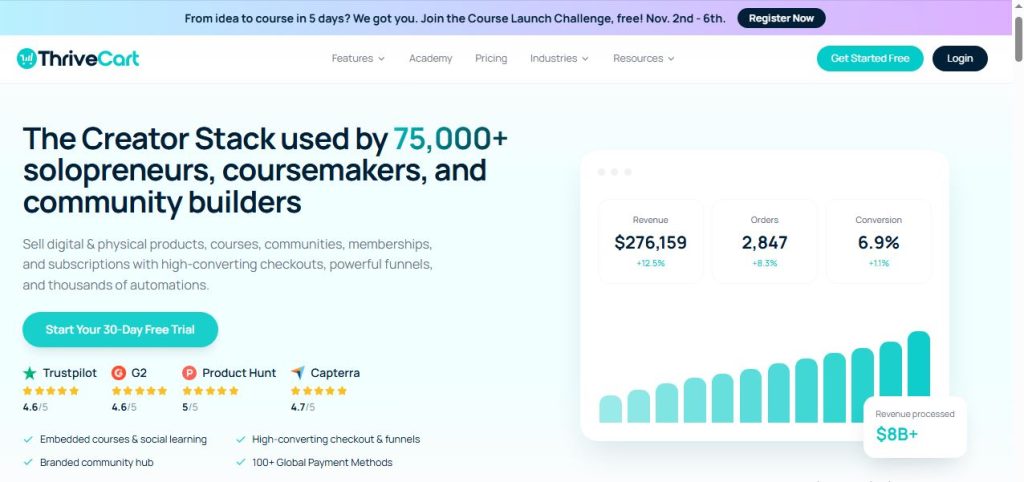
ThriveCart is a fully hosted checkout platform built to help online entrepreneurs sell courses, coaching, SaaS, and digital products through high-converting checkout pages, order bumps, and upsell funnels, without needing separate hosting or plugins.
Its checkout runs as a hosted page, an embed, or a modal, and connects to Stripe, PayPal, Apple Pay, and Google Pay. ThriveCart also bundles course and community hosting into every plan through ThriveCart Academy, and charges 0% in platform transaction fees at every plan tier.
Where ThriveCart is lighter than a dedicated course platform is the depth of the learning environment itself, which is why some creators pair it with a school like Teachable.
Key Features of ThriveCart
- Checkout engine: Embedded or hosted checkout in modal, single-page, or multi-step layouts.
- Order bumps and one-click upsells and downsells: Increase average order value directly in the cart flow.
- Payment plans and subscriptions: Installment billing, recurring payments, and subscription retention tools.
- ThriveCart Academy: Unlimited courses and students, with community and video hosting bundled into every plan.
- A/B testing and cart abandonment recovery: Test checkout variations and win back lost sales.
- Built-in affiliate center: Recruit and manage affiliates and joint venture partners from the Pro+ plan.
- Tax and multi-currency tools: Automatic tax calculation and collection, optional remittance tools, and local-currency checkout.
- Direct Teachable integration: Enroll buyers into a Teachable course automatically after purchase.
Get started with ThriveCart’s 30-day free trial →
What Is Teachable? (Online Course Platform Overview)
Teachable is an online course platform for creators who want to build, sell, and deliver courses, coaching, and digital downloads from one place, with a focus on the student experience.
It sells its plans in three self-serve tiers: Starter, Builder, and Growth. Teachable no longer offers a free tier. Each tier caps how many products you can publish, where a product can be a course, a coaching program, or a digital download. Teachable also has a built-in payments engine that handles tax and payouts, and a built-in affiliate network on higher plans.
It’s a strong fit for creators whose main goal is delivering a well-structured course, though its limits and fees mean the plan you choose matters.
Key Features of Teachable
- Course builder: Build and deliver courses, coaching programs, and digital downloads.
- Teachable Payments: Built-in checkout payments with automatic tax calculation, collection, and remittance.
- Order bumps and upsells: Pre-checkout bumps and post-purchase upsells, including payment plans and subscriptions.
- Conversion tools: Abandoned cart emails, product bundling, and coupons.
- Built-in affiliate network: Available from the Builder plan up, with per-affiliate or per-product commissions.
- BackOffice (optional): An add-on that automates tax forms and affiliate payouts for an extra fee.
- Three self-serve plans: Starter, Builder, and Growth, with product caps at each level.
ThriveCart vs Teachable: Core Difference (Selling Engine vs. Course School)
Think of it like a store and a classroom. ThriveCart is the store: it’s built to turn visitors into buyers with checkout pages, bumps, upsells, and payment options. Teachable is the classroom: it’s built to deliver what the student bought in a structured, branded learning space.
Both overlap, since ThriveCart has Academy for hosting courses and Teachable has checkout for selling them. But each leans toward its own side. If your sales are the bottleneck, ThriveCart’s tools address that directly. If your students’ learning experience is the bottleneck, a dedicated course platform like Teachable is built for it.
The Student Experience Compared
ThriveCart Academy is included on every plan. It offers unlimited courses and students, quizzes, certificates, community, and video hosting, with 100 GB of video storage on the Standard plan and up to 2,000 community members. Pro+ raises those limits.
Teachable is built around the course experience itself, with its course builder and student accounts at the center of the product. Its plans cap total published products, so how much you can offer depends on your tier.
If you want one platform that sells and teaches in the same place at a lower cost, Academy covers the essentials. If the learning environment is your product’s main selling point, a dedicated course platform gives you more focus there.
The Buying Experience Compared
ThriveCart is cart-first. Its checkout is a dedicated, conversion-focused engine with order bumps, one-click upsells and downsells, A/B testing, cart abandonment recovery, and payment plans built in. The Standard plan includes one bump, and Pro+ adds multiple bumps.
Teachable gives you solid commerce tools on every plan:
- Order bumps and upsells: Add pre-checkout bumps or post-purchase upsells, including one-time fees, payment plans, or recurring subscriptions.
- Conversion tools: Abandoned cart email recovery, product bundling, and flexible coupons.
- Native tax handling: Teachable Payments automatically calculates, collects, and remits VAT, GST, and US sales taxes across covered jurisdictions.
For raw conversion tools, ThriveCart goes further with downsells, A/B testing, and a wider funnel toolkit. Teachable’s tax handling, where it collects and remits for you, is a real convenience for global sellers.
Revenue Tools Compared: Affiliates, Coupons, and Subscriptions
Both platforms offer built-in affiliate programs, though each locks it behind a paid tier.
ThriveCart’s Affiliate Center is included from the Pro+ plan ($87/month). It offers granular commission controls, automated PayPal payouts with configurable delay rules, a choice between first-cookie and last-cookie attribution, second-tier affiliate networks, and in-dashboard promo assets.
Teachable’s affiliate network is included from the Builder plan ($89/month) and up. It isn’t available on Starter. You can set different commission percentages for individual affiliates or per product. To automate tax forms and monthly affiliate payouts, you can add BackOffice through Teachable Payments, which costs an extra 2% to 2.8% per transaction.
The practical difference: ThriveCart’s affiliate tier is cheaper, and its payout automation is part of the plan. Teachable’s automated payouts come as a paid add-on on top of the plan.
ThriveCart vs Teachable: Plan Limits and Growth Ceilings
This is where the two platforms differ most as your course business grows.
Teachable enforces hard caps on published products. A product can be a course, a coaching program, or a digital download:
- Starter: 5 published products
- Builder: 10 published products
- Growth: 50 published products
Teachable also charges usage fees for some students. Students who enroll through $0 products, 100% coupons, or admin and API imports carry a fee of $0.10 per active student per month on Starter and Builder, or $0.05 on Growth. Bulk-imported students carry a one-time fee of $0.50 to $1.50 each, depending on your plan.
ThriveCart doesn’t cap how many products you publish. ThriveCart Academy lists unlimited courses and students on every plan.
If you plan to build a library of courses, lead magnets, and bundles, Teachable’s caps and student fees can push you into a higher plan sooner than you expect. If you only plan to sell a handful of products, the caps may never matter.
Can You Use ThriveCart and Teachable Together?
Yes, and it’s a common setup. ThriveCart connects directly to Teachable. You link them inside ThriveCart’s settings, and when a customer buys through ThriveCart, ThriveCart automatically creates their Teachable student account and enrolls them in your course.
This stack gives you ThriveCart’s checkout, bumps, upsells, and affiliate tools in front of Teachable’s course delivery. To use the integration, you typically need a Teachable plan that allows API or webhook access, which means the Builder plan or higher.
When the stack makes sense: You want ThriveCart’s conversion tools and a dedicated course environment, and the added cost is worth it.
When it’s redundant: Your courses are simple, and ThriveCart Academy already covers what you need.
See how ThriveCart connects to your course platform →
Which Platform Fits Your Stage?
- Validating an idea: Keep costs low. ThriveCart’s Academy lets you sell and deliver a course in one place, and the 30-day free trial gives you time to test. Teachable’s Starter plan is cheap, but it adds a 7.5% fee and a 5-product cap.
- Launching your first paid course: Choose based on your bottleneck. If you need to convert more visitors, lead with ThriveCart. If you need a richer learning space, consider Teachable, or both.
- Scaling a library with affiliates: ThriveCart’s unlimited products and lower-priced affiliate tier fit well. If you use Teachable at this stage, you’ll likely need Builder or Growth for the caps and the affiliate network.
ThriveCart vs Teachable Pricing Compared
ThriveCart pricing:
- Standard: $47/month, or $37/month billed annually
- Pro+: $87/month, or $67/month billed annually (includes the Affiliate Center)
- $495 one-time lifetime license available for the Standard plan
- 0% platform transaction fees at every tier
- 30-day free trial
Teachable pricing (no free tier):
- Starter: $39/month, or $29/month billed annually, with a 7.5% transaction fee and 5 products
- Builder: $89/month, or $69/month billed annually, with 0% fees and 10 products
- Growth: $189/month, or $139/month billed annually, with 0% fees and 50 products
Payment processing fees apply on top of both platforms. On Teachable, those are 2.9% + $0.30 for US cards, 3.9% + $0.30 for international cards, and 3.49% + $0.49 (US) or 4.99% + $0.49 (international) for PayPal through Teachable Payments.
What does each setup cost per year?
On annual billing:
- ThriveCart Standard alone: $37 × 12 = $444/year, with course hosting included
- Teachable Builder alone: $69 × 12 = $828/year
- ThriveCart Standard + Teachable Builder (the stack): $106 × 12 = $1,272/year
- ThriveCart Pro+ + Teachable Builder: $136 × 12 = $1,632/year
Teachable’s Starter plan looks cheapest, but its 7.5% fee overtakes the $40 monthly price jump to Builder once you pass about $533 in monthly sales.
See current ThriveCart plans and start your free trial →
ThriveCart Pros and Cons
ThriveCart Pros
- 0% platform fees and no product cap on any plan
- Stronger conversion tools: bumps, downsells, A/B testing
- Course hosting included, plus a lifetime option
- Lower-priced entry to affiliate management
- Direct Teachable integration for a combined stack
ThriveCart Cons
- Affiliate Center requires the Pro+ plan
- Less specialized as a dedicated learning environment
- You remain the seller of record for tax compliance
Teachable Pros and Cons
Teachable Pros
- Built around the student and course experience
- Teachable Payments handles tax calculation, collection, and remittance
- Built-in affiliate network with optional automated payouts
- Order bumps, upsells, and abandoned cart recovery included
Teachable Cons
- No free tier, and a 7.5% fee on the Starter plan
- Hard product caps: 5, 10, or 50 depending on the plan
- Usage fees for free and imported students
- Affiliates require Builder, and automated payouts cost an extra 2% to 2.8%
Who Should Use ThriveCart?
- Sellers who want a conversion-focused checkout and unlimited products
- Creators building a library of courses, bundles, and offers
- Businesses that want affiliate tools at a lower plan price
- Anyone who wants the option of a one-time lifetime license
If that sounds like you, ThriveCart is worth a closer look.
Who Should Use Teachable?
- Creators whose main priority is a polished, structured student experience
- Sellers with a small number of products who won’t hit the caps
- Global sellers who want tax collection and remittance handled in one place
- Teams that want ThriveCart’s selling tools but a dedicated course school behind them
ThriveCart vs Teachable Alternatives
If neither platform feels like the right fit, these alternatives are worth a look.
Podia
Podia is an all-in-one creator platform with a website, courses, community, and email marketing built in.
Best for: Creators who want one simple hub for their whole online business.
Want the full breakdown? Read our ThriveCart vs Podia comparison.
Systeme.io
Systeme.io is an all-in-one marketing platform that combines funnels, email marketing, course hosting, and a built-in affiliate program, with a free plan to start.
Best for: Beginners and budget-conscious sellers who want funnels, email, and courses in one place.
Want the full breakdown? Read our Systeme.io vs ThriveCart comparison.
Payhip
Payhip is a digital product storefront with a free plan, built-in affiliates, and automatic VAT handling for the EU, UK, US, and Canada.
Best for: New creators who want to start free and test a product.
Want the full breakdown? Read our ThriveCart vs Payhip comparison.
Kartra
Kartra is an all-in-one business platform with funnels, email, CRM, memberships, and a native affiliate system on its Growth plan.
Best for: Businesses that want email, CRM, and memberships in one subscription.
Want the full breakdown? Read our ThriveCart vs Kartra comparison.
Final Verdict on ThriveCart vs Teachable
Choose ThriveCart if your priority is selling: conversion-focused checkout, bumps and upsells, unlimited products, and a lower price, with course hosting included.
Choose Teachable if your priority is the student experience, you’re fine with product caps, and you want tax handling built into your payments.
Choose both if you want ThriveCart’s selling tools in front of Teachable’s classroom, since the two connect directly and enroll buyers automatically.
The real question isn’t which tool is better. It’s which part of your course business needs the most help: selling or teaching.
Ready to try it? Start your ThriveCart free trial and see how the checkout and funnels work for your course.
FAQs About ThriveCart vs Teachable
Is ThriveCart better than Teachable?
It depends on what you need. ThriveCart is better for selling, with stronger conversion tools, unlimited products, and a lower price. Teachable is better if the student learning experience is your top priority. Many creators use both.
Can I use ThriveCart with Teachable?
Yes. ThriveCart connects directly to Teachable. When a customer buys through ThriveCart, it automatically creates their Teachable student account and enrolls them in your course. You typically need a Teachable plan with API or webhook access, which means the Builder plan or higher.
Does Teachable charge transaction fees?
Only on the Starter plan, which charges a 7.5% fee on every sale. Builder and Growth charge 0% platform fees. Payment processing fees apply on every plan.
Does ThriveCart host courses?
Yes. ThriveCart Academy is included on every plan, with unlimited courses and students, quizzes, certificates, and community features.
Which is better for selling online courses?
ThriveCart is stronger for the selling side, with checkout, bumps, upsells, and A/B testing. Teachable is stronger for the course delivery side. If you want both strengths, connect them.
Which is better for beginners?
ThriveCart is simpler and cheaper to start with, since it includes course hosting and has no product cap. Teachable’s Starter plan is low-priced but has a 7.5% fee and a 5-product limit.
Does Teachable have affiliate management?
Yes, from the Builder plan up. It isn’t available on Starter. You can set commissions per affiliate or per product, and automate tax forms and payouts with the optional BackOffice add-on, which costs an extra 2% to 2.8% per transaction.
Which is cheaper, ThriveCart or Teachable?
ThriveCart is cheaper. ThriveCart Standard runs about $444 a year billed annually with course hosting included, compared with $828 a year for Teachable Builder. Running both together costs about $1,272 a year.
Is there a free trial for ThriveCart or Teachable?
ThriveCart offers a 30-day free trial on its monthly plans. Teachable no longer has a free tier, so check its pricing page for its current trial or guarantee terms.