
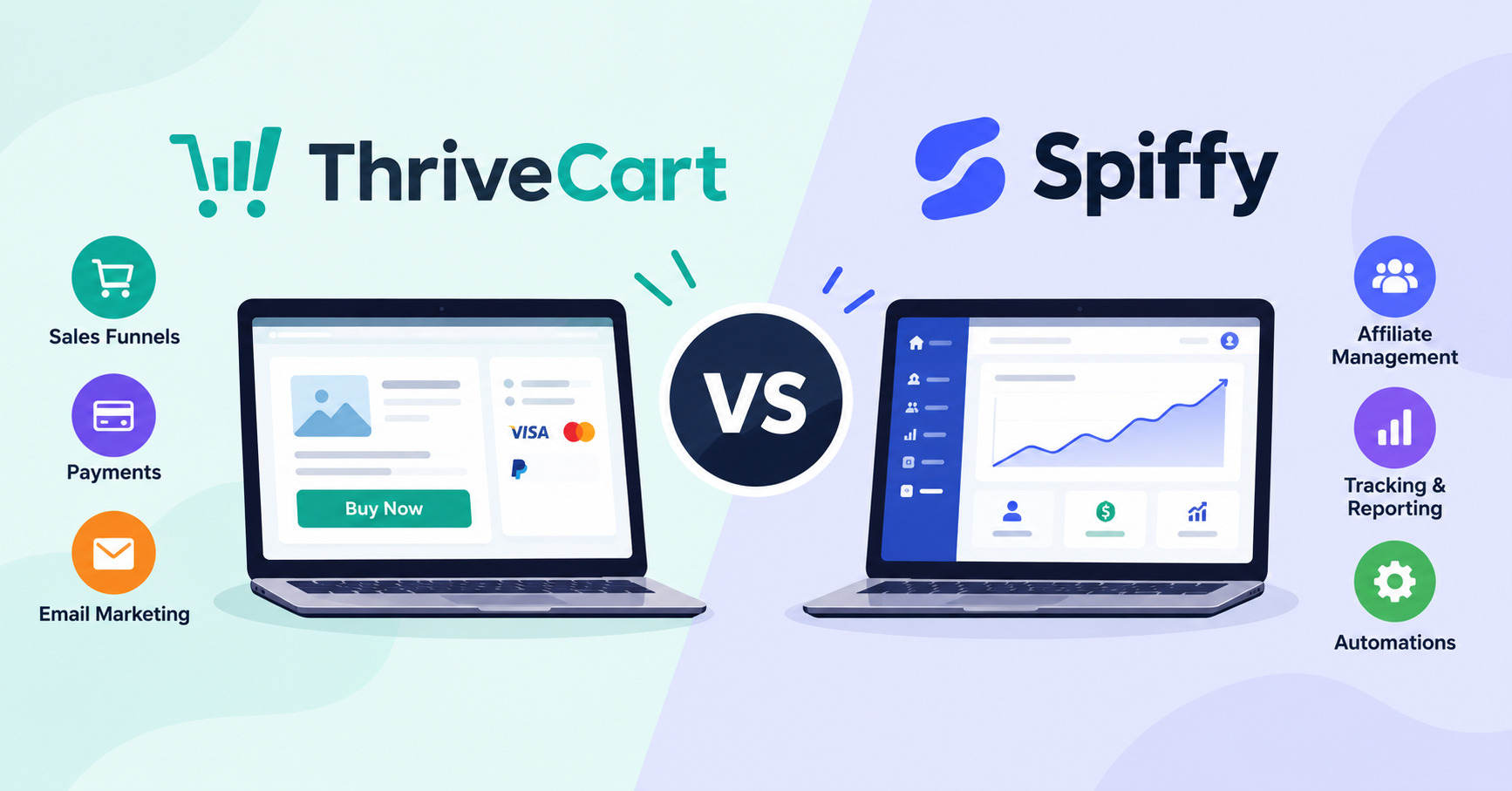
If you’re comparing Thrivecart vs Spiffy, which one should you actually pay for?
Both can handle checkout pages, upsells, payment plans, subscriptions, and affiliate sales. But they take a different approach.
ThriveCart is built around checkout, sales funnels, billing, and digital-product selling, while also including ThriveCart Academy for courses and communities. Spiffy puts more attention on the buying experience, billing, revenue management, and the tools that happen before and after a customer pays.
And then there’s the price.
ThriveCart Standard starts at $47 per month, or $37 per month when billed annually. Spiffy Pro starts at $99 per month, or $74 per month when billed annually.
So which one gives you more for your money?
Let’s compare the checkout experience, pricing, payment options, upsells, affiliate tools, course features, integrations, and everything else you need to know before choosing.
ThriveCart vs Spiffy: Feature Comparison
At first, ThriveCart and Spiffy look pretty similar.
Both let you create hosted checkout experiences, sell products and subscriptions, offer payment plans, add order bumps and upsells, connect payment gateways, and manage the revenue side of an online business.
The differences become clearer when you look beyond the checkout page.
| Feature | ThriveCart | Spiffy |
|---|---|---|
| Hosted checkout | Yes | Yes |
| Mobile-friendly checkout | Yes | Yes |
| Custom domains | Yes | Yes |
| Embedded checkout | Yes | Yes |
| Popup checkout | Yes | Yes |
| Order bumps | Yes | Yes |
| One-click upsells | Yes | Yes |
| Payment plans | Yes | Yes |
| Subscriptions | Yes | Yes |
| Affiliate management | Yes, with advanced affiliate tools on Pro+ | Yes |
| Course delivery | Yes, through ThriveCart Academy | No, works with external course platforms |
| Community | Yes, through ThriveCart Academy | No |
| Stripe | Yes | Yes |
| PayPal | Yes | Yes |
| Apple Pay | Yes | Yes |
| Google Pay | Supported digital wallets | Yes |
| Platform sales fee | 0% ThriveCart sales fees | 0% Spiffy transaction fees |
| Annual entry pricing | $37/mo | $74/mo |
| Monthly entry pricing | $47/mo | $99/mo |
| Free trial/guarantee | 30-day free trial | 30-day guarantee |
So, which one wins?
That depends on what you need the platform to do after someone clicks “Buy.”
If your main goal is a focused checkout and revenue system with strong payment, billing, upsell, and customer-management tools, Spiffy deserves a serious look.
If you want checkout, funnels, digital-product selling, course delivery, and community capabilities under the same roof, ThriveCart offers a broader package.
There’s also a major price difference.
ThriveCart Standard costs $37 per month when billed annually, compared with $74 per month for Spiffy Pro. On monthly billing, the difference is $47 versus $99.
That makes the pricing model just as important as the feature list.
What Is ThriveCart?
ThriveCart is a hosted checkout and selling platform built for people who sell digital products, online courses, coaching programs, memberships, subscriptions, and other offers online.
The basic idea is simple.
Instead of sending a customer through a plain payment form and hoping they finish the purchase, ThriveCart gives you tools to build the buying experience around the sale.
You can create checkout pages, add order bumps and one-click upsells, offer payment plans and subscriptions, recover abandoned carts, and connect the purchase to other tools.
But ThriveCart has moved beyond being just a checkout platform.
Its current plans also include ThriveCart Academy, which combines course delivery with community features. Standard includes the Academy Starter plan, while Pro+ includes the Growth plan.
That makes ThriveCart especially interesting for creators who want to keep checkout and content delivery closer together instead of stitching together several separate platforms.
Mobile-First Checkout
ThriveCart is designed to work across desktop and mobile devices.
That matters because your customer may discover your offer on a phone, click your sales page from an email, and complete the entire purchase without ever opening a laptop.
A checkout that feels awkward on a small screen can create unnecessary friction.
ThriveCart gives you control over the checkout layout, fields, offers, and payment options so you can build a buying path that works across devices.
Custom Domains
You can use your own domain to create a more branded customer experience.
Instead of making the checkout feel like a random third-party page, you can keep the experience closer to your own brand.
That can be useful for coaches, course creators, agencies, and businesses that want every customer touchpoint to feel consistent.
Embeddable and Popup Checkouts
You don’t always have to send customers to a completely separate checkout page.
ThriveCart supports embedded checkout experiences as well as popup options.
That gives you more flexibility when you’re building sales pages or product pages.
Order Bumps and Upsells
ThriveCart supports order bumps and one-click upsells.
An order bump gives customers an extra offer during checkout.
An upsell gives them another relevant offer after the initial purchase.
The important part is how you use these tools.
A random upsell can make a checkout feel pushy. A useful next-step offer can increase the value of a customer without making the buying experience feel complicated.
Payment Plans and Subscriptions
ThriveCart supports split payments, payment plans, subscriptions, and other recurring billing options.
That gives you more ways to sell an offer when the full upfront price might create friction.
For example, a $1,200 coaching package could be sold as one payment or divided into scheduled installments.
Affiliate Management
ThriveCart includes affiliate capabilities, with more advanced affiliate tools and automated payouts available with Pro+.
That makes it useful for businesses that rely on partners, referral traffic, or affiliate campaigns.
If affiliate marketing is a major part of your business, however, pay attention to which plan includes the tools you actually need.
ThriveCart Academy
This is one of the biggest differences between the two platforms.
ThriveCart Academy is ThriveCart’s current course and community platform. It includes course hosting, quizzes, assessments, gamification, and community features.
The Standard ThriveCart plan includes Academy Starter, while Pro+ includes Academy Growth.
That means a creator can use ThriveCart not only to collect the payment but also to deliver the product afterward.
For someone selling an online course or membership, that can remove the need for a separate learning platform.
Third-Party Integrations
ThriveCart can connect with the other software you already use to run your business.
That can include email marketing platforms, CRMs, membership systems, course platforms, automation tools, webinar software, and other third-party services.
This matters because your checkout is rarely the end of the customer journey.
For example, when someone buys a course through ThriveCart, their purchase can trigger other actions such as adding them to an email list, granting access to a membership, updating a CRM record, or starting an automated customer sequence.
ThriveCart also supports connections through automation tools such as Zapier, giving you more options when a direct integration isn’t available.
For businesses with a growing technology stack, these integrations can save a lot of manual work.
Payment Processing
ThriveCart connects with payment processors and supports a broad range of payment options.
It also supports digital wallets such as Apple Pay where the customer’s device, browser, and payment setup allow them.
ThriveCart does not add its own sales fee to transactions, although payment-processing charges and other applicable fees can still apply.
So, if you’re selling courses, coaching, memberships, or digital products, ThriveCart gives you considerably more than a basic “pay now” button.
What Is Spiffy?
Spiffy is a checkout and revenue platform built for businesses selling products, services, subscriptions, payment plans, memberships, courses, coaching, and other online offers.
Where ThriveCart has expanded into course and community delivery through ThriveCart Academy, Spiffy stays more focused on the revenue side of the business.
That means checkout, billing, payment plans, subscriptions, upsells, customer self-service, reporting, automations, and integrations are central to the platform.
Spiffy is also designed to work alongside the tools you already use.
If your course lives in another platform, your CRM lives somewhere else, and your website is already built, Spiffy can sit around those systems and handle the purchase and billing workflow.
Mobile-First Checkout
Spiffy puts a strong focus on mobile checkout.
The goal is simple: make it easier for someone to complete the purchase without fighting through a long or confusing form.
That matters when a large portion of your traffic comes from social media, email, paid ads, or other mobile-heavy sources.
Custom Domains
Spiffy lets you use your own branding and custom domain options so the checkout can feel like part of your business rather than a completely separate website.
For businesses selling higher-priced products or services, that consistent branding can help maintain trust through the final step of the purchase.
Embeddable Checkout
Spiffy supports embedded checkouts, allowing you to place the buying experience inside another page.
One important detail is that Apple Pay and Google Pay are supported on Spiffy’s hosted checkouts through Stripe but aren’t supported in embedded checkouts.
That’s worth remembering if digital wallets are a major part of your checkout strategy.
Popup Checkout
Spiffy also supports popup checkout experiences.
That gives you another way to keep customers on the current page instead of sending them away to a separate checkout URL.
Checkout Flows and Upsells
Spiffy lets you build checkout flows with order bumps, one-click upsells, and different payment choices.
This can be useful when your offer has a natural next step.
For example, someone buying a course might be offered a workbook or coaching upgrade.
The goal shouldn’t be to throw five offers at every buyer.
It’s to make the next logical purchase easy.
Payment Plans and Subscriptions
Spiffy supports subscriptions, payment plans, trials, installments, deposits, and pay-in-full options.
It also has tools around failed-payment recovery and customer billing management.
That makes Spiffy particularly interesting for businesses where recurring revenue is a big part of the model.
Affiliate Center
Spiffy includes affiliate management tools for businesses that want partners to promote their offers.
Affiliate tracking, partner management, and revenue reporting can all live closer to the checkout and billing data.
That’s useful because affiliate reporting gets messy when your checkout, payment system, and affiliate platform all live in separate places.
Third-Party Integrations
Spiffy is designed to work alongside the other software in your business.
You can connect it with CRMs, email marketing platforms, course and membership platforms, automation tools, analytics software, and other third-party services.
Spiffy also supports connections through automation platforms such as Zapier and Make, as well as webhooks and other integration options.
This is particularly useful if you already have a website, CRM, email platform, or course platform that you don’t want to replace.
Instead of rebuilding your entire business around Spiffy, you can use it as the checkout and revenue layer while sending customer and purchase information to the tools that handle everything else.
For an established business, that flexibility can be just as important as the checkout itself.
Stripe, PayPal, Apple Pay, and Google Pay
Spiffy supports Spiffy Payments, Stripe, PayPal, Apple Pay, and Google Pay, subject to the relevant account, device, browser, and payment setup.
That gives buyers several familiar ways to pay.
For mobile-heavy businesses, digital wallets can be particularly useful because customers may not need to manually enter their card details.
Where Spiffy Fits Best
Spiffy makes the most sense when checkout and revenue management are your main priorities.
It’s especially well suited to established online businesses selling digital products, coaching, subscriptions, memberships, payment plans, and higher-ticket offers.
It’s less suited to someone looking for a full course platform or community platform because Spiffy is designed to work alongside those systems rather than replace them.
ThriveCart vs Spiffy: Checkout Design and Mobile Experience Compared
Checkout design matters because a great offer can still lose sales if the final buying step creates friction.
And here’s the thing:
Neither ThriveCart nor Spiffy can magically make an offer convert.
Your traffic, offer, price, copy, trust signals, payment options, checkout layout, and audience all matter.
The platform simply gives you the tools to build and test that experience.
ThriveCart Checkout Experience
ThriveCart gives you control over checkout pages, offers, order bumps, upsells, payment plans, subscriptions, and other elements of the buying process.
It’s a good fit if you want your checkout to be part of a larger sales funnel.
You can also use embedded or popup checkout options when that makes sense for the page you’re building.
Spiffy Checkout Experience
Spiffy puts even more emphasis on the checkout and revenue workflow.
Its mobile-first approach is one of the platform’s stronger selling points.
It also gives you payment options such as Stripe, PayPal, Apple Pay, and Google Pay, helping customers use the payment method they’re most comfortable with.
Which Has the Better Mobile Checkout?
This is one of those questions where there isn’t a universal winner.
Both platforms are designed to work on mobile.
Spiffy has a particularly strong focus on the mobile buying experience, while ThriveCart gives you a broader selling toolkit around the checkout.
If your business is heavily dependent on mobile traffic, test both with your actual offer and audience rather than assuming one platform will automatically produce a higher conversion rate.
ThriveCart vs Spiffy: Upsells, Order Bumps, and Checkout Flows
This is where checkout software can directly affect revenue.
An order bump gives the buyer an additional offer before they complete the purchase.
An upsell gives them another relevant offer after the purchase.
Both ThriveCart and Spiffy support these strategies.
ThriveCart lets you build bumps and one-click upsells into your checkout and funnel structure.
Spiffy does the same while connecting those offers closely with its billing and revenue workflows.
The difference is less about whether either platform has upsells and more about how each fits into your business.
If you’re building a wider sales funnel with digital products and course delivery, ThriveCart has the broader setup.
If you’re focused heavily on checkout, billing, customer management, and revenue operations, Spiffy is a strong option.
And remember: more upsells don’t automatically mean more money.
A relevant $49 add-on can help.
A completely unrelated $299 offer can make the buyer wonder what just happened.
ThriveCart vs Spiffy Payment Plans and Subscriptions
Both platforms are strong when it comes to flexible billing.
That’s important for businesses selling higher-priced products and services.
Instead of asking a customer to pay $1,000 today, you might offer:
- One payment of $1,000
- Four payments of $275
- A monthly subscription
- A deposit followed by scheduled payments
ThriveCart supports payment plans, split pay, subscriptions, and other flexible billing options.
Spiffy supports subscriptions, payment plans, trials, installments, deposits, and pay-in-full choices.
Spiffy also puts more emphasis on the ongoing billing relationship, including customer self-service and failed-payment recovery.
ThriveCart is the stronger choice if you want billing tied closely to a wider selling and course-delivery system.
Spiffy is compelling if recurring revenue and billing management are at the center of your business.
ThriveCart vs Spiffy: Course Hosting and Content Delivery
This is one of the clearest differences between ThriveCart and Spiffy.
ThriveCart for Online Courses
ThriveCart now includes ThriveCart Academy with its current plans.
Academy is ThriveCart’s course and community platform and includes course hosting, quizzes, assessments, gamification, and community features.
The Standard plan includes Academy Starter, while Pro+ includes Academy Growth.
That means you can connect the sale and product delivery without necessarily adding another course platform.
For a creator selling a flagship course, membership, or education program, that’s a big advantage.
Spiffy for Online Courses
Spiffy takes a different approach.
It’s not designed to replace your course delivery platform.
Instead, Spiffy can handle the checkout, payment plans, subscriptions, upsells, billing, and customer actions around the course.
Your lessons can remain inside the course or community platform you’ve already chosen.
That can actually be an advantage if you already love your LMS.
You don’t have to move your course just because you want a better checkout.
Which Is Better for Course Creators?
If you want checkout and course delivery under one roof, ThriveCart has the advantage.
If you already have a course platform and mainly want a stronger checkout and billing system around it, Spiffy may fit better.
ThriveCart vs Spiffy Affiliate Management Compared
Affiliate marketing can become a serious revenue channel once your business grows.
Both ThriveCart and Spiffy offer affiliate management.
ThriveCart’s affiliate tools are particularly useful for businesses that want affiliate sales tied into their wider selling platform, with advanced affiliate capabilities and automated payouts available through Pro+.
Spiffy includes affiliate capabilities as part of its revenue platform, keeping affiliate activity close to checkout and billing data.
The real question is how important affiliates are to your business.
If you’re just going to have a handful of partners promote an occasional launch, either platform can work.
If affiliates are a major acquisition channel, compare the exact affiliate limits, payout features, tracking, reporting, and plan requirements before signing up.
ThriveCart vs Spiffy Integrations and Payment Gateways
Your checkout rarely works alone.
You may need to send a purchase into an email platform, CRM, membership system, analytics tool, course platform, or automation system.
ThriveCart Integrations
ThriveCart supports more than 100 direct integrations, along with payment processors and other connections.
It also supports Stripe and PayPal and offers digital-wallet support.
That gives you plenty of flexibility if your business already has a larger marketing and fulfillment stack.
Spiffy Integrations
Spiffy also connects with the wider business stack.
It supports direct integrations, Zapier, Make, webhooks, CRM connections, analytics, marketing automation, course platforms, and other tools.
Its strength is keeping purchase, billing, customer, affiliate, and offer information connected as it moves into those other systems.
ThriveCart vs Spiffy Payment Gateway Comparison
Both platforms support Stripe and PayPal.
Spiffy also clearly supports Apple Pay and Google Pay through its supported payment setup.
ThriveCart supports Apple Pay and other digital wallets as well.
So don’t choose between these platforms based simply on “Does it accept Apple Pay?”
Both can.
Instead, look at exactly how the payment methods work on the checkout type you’re planning to use and which processors or gateways your business needs.
ThriveCart vs Spiffy Ease of Use and Setup
Neither platform is difficult because the basic idea is complicated.
They’re difficult when you try to build too much at once.
That’s true of almost every checkout platform.
With ThriveCart, the learning curve comes from having more tools available.
You can build products, funnels, bumps, upsells, subscriptions, payment plans, integrations, affiliates, and course experiences.
That’s powerful.
But it also means there’s more to learn.
Spiffy has a more concentrated focus around checkout, billing, revenue, and customer workflows.
That can make it attractive if you don’t want your checkout platform trying to become your entire business.
If you already have a website, CRM, course platform, and marketing system you love, Spiffy can slot into that stack.
If you’re trying to reduce the number of platforms you use, ThriveCart has a stronger argument.
ThriveCart vs Spiffy Pricing
Price is one of the biggest differences between ThriveCart and Spiffy.
And in 2026, ThriveCart’s pricing model looks very different from the older lifetime-deal model many people may remember.
ThriveCart Pricing
ThriveCart Standard costs $47 per month when paid monthly, or $37 per month when billed annually.
That works out to:
$47 × 12 = $564 per year on monthly billing.
Or:
$37 × 12 = $444 per year when billed annually.
ThriveCart Pro+ costs $87 per month, or $67 per month when billed annually.
That’s $804 per year on annual billing.
Both current plans include a 30-day free trial.
Standard includes ThriveCart Academy Starter, while Pro+ includes Academy Growth.
The important thing to remember is that the old $495 lifetime deal is no longer the current pricing model for new buyers.
So if you find an older ThriveCart review talking about paying once and using ThriveCart forever, check the publication date.
That information is outdated for new customers.
Spiffy Pricing
Spiffy’s Pro plan costs $99 per month when paid month-to-month or $74 per month when billed annually.
At the annual rate:
$74 × 12 = $888 per year.
Spiffy also offers higher Business and Scale plans for businesses with greater needs.
The listed Spiffy plans have 0% Spiffy transaction fees, although payment processors, card networks, gateways, or merchant-account fees can still apply.
ThriveCart vs Spiffy: Price Comparison
| Pricing | ThriveCart Standard | Spiffy Pro |
|---|---|---|
| Monthly billing | $47/mo | $99/mo |
| Annual billing | $37/mo | $74/mo |
| Annual cost | $444 | $888 |
| Free trial/guarantee | 30-day free trial | 30-day guarantee |
| Platform transaction fee | 0% sales fees | 0% Spiffy transaction fees |
ThriveCart vs Spiffy Which Is Cheaper?
ThriveCart Standard is cheaper at both billing frequencies.
On annual billing, ThriveCart Standard costs $444 per year compared with $888 for Spiffy Pro.
That’s a $444 yearly difference.
That’s meaningful for a small business.
But don’t stop at the subscription price.
If Spiffy’s billing tools, customer portal, checkout workflow, integrations, or revenue-management features solve a problem that would otherwise require another tool, the higher subscription cost may still make sense.
Likewise, ThriveCart’s lower price only matters if you actually use the tools you’re paying for.
The better question is:
Which platform gives you the tools you need at the lowest total cost to run your business?
Pros and Cons: ThriveCart vs Spiffy
ThriveCart Pros and Cons
ThriveCart Pros
Lower entry price
At $37 per month when billed annually, ThriveCart Standard costs considerably less than Spiffy Pro.
Course and community delivery
ThriveCart Academy is included with current ThriveCart plans, giving course creators a way to keep checkout and content delivery closer together.
Strong selling tools
Order bumps, one-click upsells, payment plans, subscriptions, funnels, and abandoned-cart tools give you plenty of ways to build a complete sales process.
Large integration library
ThriveCart supports more than 100 direct integrations, making it easier to connect your checkout to the rest of your business.
Good fit for digital products
If you sell courses, memberships, coaching, templates, downloads, or other digital offers, ThriveCart gives you a broad set of tools around the sale.
ThriveCart Cons
More tools means more to learn
ThriveCart can do a lot.
That’s great once you understand it, but beginners may need some time to learn where everything lives.
Advanced affiliate features are plan-dependent
If affiliates are a major part of your business, you’ll need to compare Standard and Pro+ carefully.
Not a full website or marketing suite
ThriveCart can replace several specialized tools, but it isn’t meant to replace every part of your business.
Spiffy Pros and Cons
Spiffy Pros
Strong checkout focus
Spiffy puts the buying experience, billing, and revenue workflow at the center.
Excellent payment flexibility
Stripe, PayPal, Apple Pay, Google Pay, and other supported payment options give customers multiple ways to pay.
Strong recurring-revenue tools
Subscriptions, payment plans, installments, trials, and billing recovery make Spiffy especially useful for recurring offers.
Customer self-service
Spiffy gives customers tools for managing billing and payment information, which can reduce support work.
Works well with existing platforms
If your CRM, website, course platform, or marketing tools are already working well, Spiffy can sit around them instead of forcing you to rebuild your stack.
Spiffy Cons
Higher starting price
At $74 per month billed annually, Spiffy Pro costs twice as much per month as ThriveCart Standard when comparing annual plans.
No built-in course platform
Spiffy is not designed to replace your LMS or community platform.
You’ll need another tool if you want to host lessons and curriculum.
More expensive for simple businesses
If all you need is a checkout, a few upsells, and basic payment plans, you may not need everything Spiffy brings to the table.
Who Should Use ThriveCart?
ThriveCart is a strong choice for creators and online businesses that want more than a checkout page.
It’s especially appealing if you sell:
- Online courses
- Coaching programs
- Memberships
- Digital products
- Payment plans
- Subscriptions
- Higher-ticket offers
It’s also a good fit if you want to reduce the number of separate platforms you use.
The combination of checkout, funnels, upsells, billing, integrations, and ThriveCart Academy gives you a lot of room to build around one platform.
And the current price makes the value proposition even stronger.
At $37 per month billed annually, ThriveCart Standard is considerably cheaper than Spiffy Pro.
Who Probably Doesn’t Need ThriveCart?
If you already have a course platform, CRM, community, website, and marketing stack that you love, you may not need ThriveCart’s broader toolkit.
In that situation, a checkout platform with a tighter focus may make more sense.
Who Should Use Spiffy?
Spiffy is a strong choice if checkout and revenue management are the heart of your business.
It’s particularly useful for businesses selling:
- Coaching
- Consulting
- Subscriptions
- Memberships
- Payment plans
- Digital products
- Higher-ticket services
It also makes sense if you already have your course or community platform figured out.
You can let that platform handle the lessons and community while Spiffy handles the buying, billing, upsells, payment recovery, customer actions, and revenue data.
Who Probably Doesn’t Need Spiffy?
If you’re just starting out and need a checkout plus course delivery without adding several monthly subscriptions, ThriveCart may give you more value for less money.
Likewise, if your business only needs a simple payment page with no upsells, subscriptions, or advanced revenue workflows, either platform may be more than you need.
ThriveCart vs Spiffy Alternatives
ThriveCart and Spiffy aren’t the only options.
Depending on what you actually need, another platform could be a better fit.
SamCart
SamCart is worth considering if your main priority is checkout optimization, order value, upsells, and selling digital products.
It’s a good alternative when you want a platform focused heavily on the selling process.
If you’re comparing SamCart with ThriveCart, check out our ThriveCart vs SamCart comparison here.
PayKickstart
PayKickstart is worth looking at if affiliate marketing, recurring billing, funnels, and customer retention are major parts of your business.
It has a strong focus on subscriptions and affiliate-driven selling.
If you’re deciding between these platforms, read our ThriveCart vs PayKickstart comparison here.
Systeme.io
Systeme.io takes a different approach.
Instead of focusing primarily on checkout and revenue operations, it aims to bring funnels, email marketing, courses, memberships, automation, and digital-product selling into one broader platform.
That can make it attractive if your main goal is reducing the number of subscriptions you pay for.
The trade-off is that you’re choosing a broader all-in-one system rather than a checkout-focused platform.
If you’re deciding between these platforms, check our ThriveCart vs Systeme comparison here.
Stripe
Stripe is primarily payment infrastructure.
It can process payments extremely well, but it doesn’t give you the same ready-made checkout, upsell, affiliate, course, and selling workflow that ThriveCart or Spiffy provides.
Stripe can be a great choice if you have developers or an existing website and want to build the customer journey yourself.
Which ThriveCart vs Spiffy Alternative Is Best?
Choose SamCart if checkout optimization and selling tools are your main priority.
Use PayKickstart if affiliate marketing and recurring billing are central to your business.
Choose Systeme.io if you want a broader all-in-one marketing and selling platform.
Choose Stripe if you mainly need payment infrastructure and have the technical setup to build the rest.
ThriveCart vs Spiffy: Final Verdict
So, ThriveCart vs Spiffy — which one should you choose?
For most creators who want the most functionality for the money, ThriveCart is the better overall value.
That’s not because of the old lifetime deal.
That deal is no longer the current pricing model for new customers.
It’s because ThriveCart now combines a relatively low subscription price with checkout tools, funnels, upsells, payment plans, subscriptions, integrations, and ThriveCart Academy.
At $37 per month billed annually, ThriveCart Standard costs half as much as Spiffy Pro’s $74 monthly annual-billing rate.
And you still get access to course and community capabilities through Academy Starter.
Choose ThriveCart If You Want More for Your Money
ThriveCart makes the most sense if you want:
- Checkout and sales funnels
- Order bumps and upsells
- Payment plans and subscriptions
- Digital-product selling
- Course delivery
- Community features
- A large integration library
- A lower monthly cost
It’s especially attractive for course creators and digital-product sellers who want to keep more of their business under one roof.
Choose Spiffy If Checkout and Revenue Are the Priority
Spiffy makes more sense if your main focus is the buying and billing side of your business.
Choose it if you care heavily about:
- Mobile-first checkout
- Flexible payment options
- Subscriptions and payment plans
- Billing recovery
- Customer self-service
- Revenue reporting
- Affiliate workflows
- Connecting checkout data to an existing business stack
Spiffy is particularly compelling when you already have a separate course, community, CRM, or website platform that you want to keep.
ThriveCart vs Spiffy Which One Converts Better?
Here’s the honest answer:
Neither platform automatically converts better.
A checkout tool can’t rescue a weak offer.
Your conversion rate depends on your audience, traffic quality, offer, price, sales copy, trust, payment options, checkout design, and the amount of friction between “I want this” and “I just paid for it.”
What the platform can do is give you better tools to build, test, and improve that experience.
If you want a broader selling platform with course and community delivery at a lower price, ThriveCart gets the edge.
If you already have your content and marketing stack in place and want a platform heavily focused on checkout, billing, and revenue operations, Spiffy is the better fit.
For most new buyers, I’d start with ThriveCart.
For an established business with a strong existing tech stack and a bigger focus on checkout and recurring revenue, I’d take a serious look at Spiffy.
ThriveCart vs Spiffy FAQ
Is ThriveCart better than Spiffy?
For many digital-product sellers, yes.
ThriveCart offers a broader mix of checkout, funnel, billing, and course/community tools, while Spiffy focuses more heavily on checkout, billing, revenue management, and integrations.
The better choice depends on what you need the platform to do.
Is Spiffy better for mobile checkout?
Spiffy has a particularly strong focus on mobile checkout, but that doesn’t mean it will automatically convert better than ThriveCart.
Both platforms are designed for mobile buyers.
Your own traffic and offer should determine which checkout performs better.
How much does ThriveCart cost in 2026?
ThriveCart Standard costs $47 per month or $37 per month when billed annually.
ThriveCart Pro+ costs $87 per month or $67 per month when billed annually.
Both current plans include a 30-day free trial.
How much does Spiffy cost?
Spiffy Pro costs $99 per month when billed monthly or $74 per month when billed annually.
Spiffy also has Business and Scale plans for larger businesses.
Does ThriveCart charge transaction fees?
ThriveCart does not charge its own sales fee on transactions.
However, payment processors and certain payment or integration services can still charge their own fees.
So “0% platform sales fee” does not mean payment processing is free.
Does Spiffy charge transaction fees?
Spiffy’s listed plans have 0% Spiffy transaction fees.
Normal payment processor, card-network, gateway, or merchant-account fees can still apply.
Does ThriveCart have affiliate management?
Yes.
ThriveCart supports affiliate management, with advanced affiliate capabilities and automated payouts available through Pro+.
If affiliate marketing is important to you, compare the exact features included with your plan.
Does Spiffy have affiliate management?
Yes.
Spiffy includes affiliate capabilities as part of its revenue platform.
It’s designed to keep affiliate activity connected to checkout, billing, and revenue data.
Does ThriveCart support custom domains?
Yes.
ThriveCart supports custom domain options for creating a more branded customer experience.
Does Spiffy support Apple Pay and Google Pay?
Yes.
Spiffy supports Apple Pay and Google Pay where the buyer’s device, browser, account, and payment setup support them.
One important detail: Spiffy’s Apple Pay and Google Pay support is available on hosted checkouts, while its documentation says these wallets aren’t supported in embedded checkouts.
Does ThriveCart support Apple Pay?
Yes.
ThriveCart supports Apple Pay and other digital-wallet options where the customer’s device, browser, and payment setup allow them.
Does ThriveCart support payment plans?
Yes.
ThriveCart supports payment plans, split payments, subscriptions, and other flexible billing options.
Does Spiffy support subscriptions?
Yes.
Spiffy supports subscriptions, payment plans, trials, installments, deposits, and pay-in-full options.
It also provides tools for ongoing billing management and failed-payment recovery.
Does ThriveCart host online courses?
Yes.
Current ThriveCart plans include ThriveCart Academy, which provides course and community features.
Standard includes Academy Starter, while Pro+ includes Academy Growth.
Does Spiffy host online courses?
No.
Spiffy is not designed to replace a dedicated course or community platform.
Instead, it handles checkout, billing, payment plans, subscriptions, upsells, customer actions, and related revenue workflows around your existing course platform.
Which is better for online courses?
ThriveCart is generally the better choice if you want your checkout and course delivery connected under the same platform.
Spiffy can be the better choice if you already have a course platform and simply want stronger checkout and billing tools around it.
Which is cheaper: ThriveCart or Spiffy?
ThriveCart is cheaper based on current entry-level annual pricing.
ThriveCart Standard costs $37 per month when billed annually, or $444 per year.
Spiffy Pro costs $74 per month when billed annually, or $888 per year.
That’s a $444 annual difference.
Is ThriveCart still available as a lifetime deal?
Not for new customers under the current 2026 pricing model.
ThriveCart now offers monthly and annual subscriptions.
Older customers who purchased lifetime Learn or Learn+ licenses have separate transition rules, but those should not be confused with the current pricing available to new buyers.