
Ahrefs vs KWFinder is not a contest between a good tool and a bad one. It is a choice between two different kinds of SEO tool. Ahrefs is a full SEO platform built on huge backlink and keyword datasets. KWFinder, part of the Mangools suite, is a focused keyword research tool built around speed, clarity and a low price.
This comparison covers 2026 pricing, keyword research, keyword difficulty, backlink analysis, competitor research, rank tracking, site audits, AI search visibility and ease of use. By the end, you will know which tool matches your goals, your budget and the way you like to work.
Ahrefs vs KWFinder: The Short Version
- Ahrefs fits SEO professionals, agencies and in-house teams that need deep backlink data, competitor research, site audits and detailed reporting in one platform.
- KWFinder fits bloggers, affiliate marketers, freelancers and small businesses whose main job is finding keywords they can realistically rank for, on a smaller budget.
- Many SEOs use both, with KWFinder for quick keyword discovery and Ahrefs for link and competitor analysis.
What’s New in 2026
Three changes matter for anyone comparing Ahrefs and Mangools this year.
Ahrefs now has five paid tiers. Starter costs $29 per month with tight usage limits, Lite is $129, Standard is $249, Advanced is $449, and Enterprise is custom priced, starting around $14,990 per year.
Ahrefs added AI visibility tracking. Its Brand Radar product tracks how brands appear in AI answers from platforms such as Google AI Overviews, ChatGPT and Perplexity. It is sold separately from the main plans, starting at around $199 per month.
Mangools plans start at $30.50 per month. Basic, Premium and Agency cost $30.50, $40.50 and $70.50 monthly, or $18.85, $26.35 and $48.85 per month when billed annually. Every paid plan includes all five tools plus API and MCP access, and there is a permanent free plan.
Two Different Philosophies
Comparing KWFinder vs Ahrefs feature by feature can hide the bigger picture: these tools are built on opposite ideas about what an SEO tool should do.
Ahrefs is a connected platform. Its keyword, backlink, site audit and rank tracking tools share data, so you can find a competitor’s best page, see who links to it, spot the keywords it ranks for that you do not, and then track your own progress, all in one place. It rewards users who will work across all of those areas.
KWFinder is a focused instrument. It concentrates on finding keywords and judging how hard they are to rank for, then surrounds that with a few lightweight companion tools. It rewards users who want a clear answer quickly and do not need the rest.
Neither approach is better in the abstract. The right one depends on whether your work needs the whole toolbox or just one tool you use every day.
Ahrefs vs KWFinder at a Glance
| Feature | KWFinder (Mangools) | Ahrefs |
|---|---|---|
| Built for | Bloggers, affiliates, freelancers, small businesses | Agencies, in-house teams, advanced SEOs |
| Starting price | $30.50/month ($18.85 billed annually) | $29/month Starter, $129/month Lite |
| Core strength | Simple keyword research and clear difficulty scores | Backlink data, competitor research and an all-in-one toolkit |
| Site audit | Not included | Full technical audit tool |
| Learning curve | Low | Moderate to steep |
| Free option | Permanent free plan and 10-day free trial | Free Ahrefs Webmaster Tools for your own verified sites |
What Is Ahrefs?

Ahrefs is an all-in-one SEO platform founded in 2010 and headquartered in Singapore. It began as a backlink checker and grew into one of the most widely used SEO toolsets in the industry. Its reputation rests on data scale: Ahrefs runs its own web crawler, AhrefsBot, which collects the link data behind one of the largest backlink indexes available, and it combines that with large keyword and search results databases.
What sets Ahrefs apart is how its tools connect. You can start with a competitor’s domain, see the pages that bring in the most traffic, find the keywords behind that traffic, check which sites link to those pages, and then monitor your own rankings, all without leaving the platform. Ahrefs also uses its own authority metrics, Domain Rating (DR) for whole sites and URL Rating (UR) for individual pages, which many SEOs use as a common shorthand for link strength.
Key Ahrefs Tools
- Site Explorer: backlink, organic traffic and competitor analysis for any website or page.
- Keywords Explorer: keyword research with difficulty, search volume, Clicks, Clicks Per Search, Return Rate and Parent Topic data.
- Site Audit: a crawler that checks your site for more than 100 technical SEO issues.
- Rank Tracker: position tracking by location and device, with SERP feature and competitor comparisons.
- Content Explorer: a searchable database of web content, used to find proven topics and link opportunities.
- AI tools: an AI Content Helper for optimizing drafts, plus Brand Radar, a separately priced add-on that tracks brand mentions in AI answers.
- Ahrefs Webmaster Tools: a free version covering site audits and backlink data for sites you own and verify.
Who Ahrefs Is For
Ahrefs is built for people who work across many parts of SEO, such as agencies, in-house marketing teams, link builders and experienced independent SEOs. Its range of reports can feel like a lot at first, but users who need competitor intelligence, backlink research and technical audits in one login tend to get the most from it. Pricing reflects that scope, which makes it a larger commitment than most keyword-only tools.
What Is KWFinder?
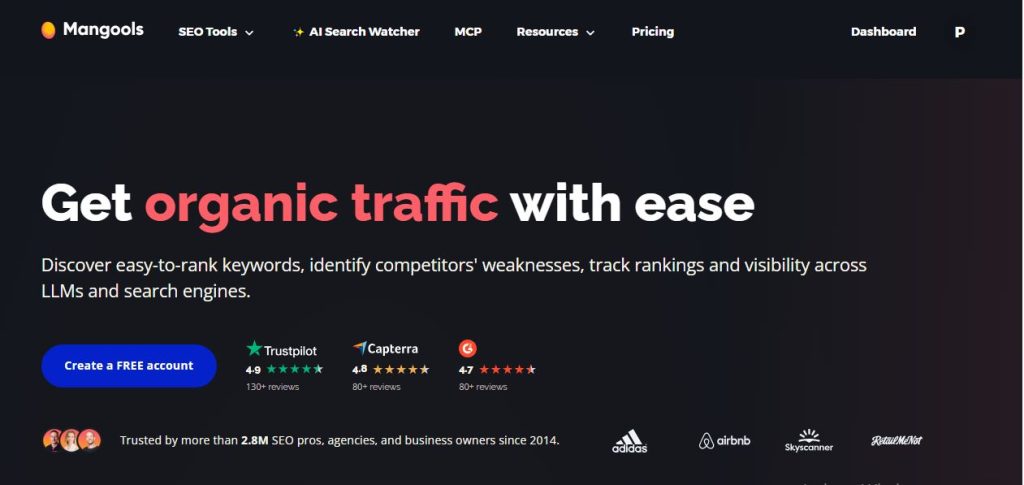
KWFinder is the keyword research tool from Mangools, a Slovakia-based SEO software company. It was designed around one job: helping you find keywords you can realistically rank for, without burying you in data. Its trademark features are a colour-coded keyword difficulty score from 0 to 100, a clear SERP overview for each keyword, and a layout simple enough that new users can find useful keywords within minutes.
KWFinder is especially popular for finding long-tail, lower-competition keywords, which is where smaller sites usually have the best chance of ranking. You can target keywords by country, language and location, view a 12-month search volume trend to catch seasonality, and browse suggestions that include related terms, autocomplete ideas and question-style searches.
The Mangools Suite
A Mangools subscription includes KWFinder plus four companion tools:
- KWFinder: keyword research with difficulty scores, suggestions and trend data.
- SERPChecker: analysis of the live search results for any keyword, including authority and link metrics for each ranking page.
- SERPWatcher: rank tracking with a single Performance Index, charts and alerts.
- LinkMiner: a backlink checker for any URL, with Citation Flow, Trust Flow and Link Strength metrics.
- SiteProfiler: a quick snapshot of any domain’s authority, backlinks and traffic.
Together they cover the core loop of finding a keyword, checking the competition, publishing and tracking results.
Who KWFinder Is For
KWFinder suits bloggers, affiliate marketers, freelancers and small businesses whose main need is dependable keyword research at a fair price. It is also a common first SEO tool because the learning curve is low and Mangools offers a permanent free plan and a 10-day free trial. It is not a full SEO platform, so it leaves out features such as a site audit and large-scale backlink research, which is the trade-off for its simplicity.
Ahrefs vs KWFinder Pricing in 2026
Pricing is where the two tools differ most visibly, so it helps to look at what each plan actually includes.
KWFinder / Mangools pricing. Every paid plan includes KWFinder, SERPChecker, SERPWatcher, LinkMiner and SiteProfiler, plus API and MCP access. There is a permanent free plan and a 10-day free trial. The plans differ by daily limits, rank-update frequency and team seats.
- Basic: $30.50/month, or $18.85/month billed annually. Up to 100 keyword and SERP requests per day, 200 tracked keywords, no extra seats
- Premium: $40.50/month, or $26.35/month billed annually. Up to 500 requests per day, 700 tracked keywords, 3 extra seats
- Agency: $70.50/month, or $48.85/month billed annually. Up to 1,200 requests per day, 1,500 tracked keywords, daily rank updates, 5 extra seats
Ahrefs pricing. Ahrefs uses tiered plans, and higher tiers unlock more projects, tracked keywords and data history.
- Starter: $29/month. A limited entry plan with tight usage caps
- Lite: $129/month, or about $108/month billed annually. 5 projects and 750 tracked keywords
- Standard: $249/month, or about $208/month billed annually. 2,000 tracked keywords
- Advanced: $449/month, or about $374/month billed annually. 5,000 tracked keywords, with fuller historical data and API access
- Enterprise: custom pricing for large organizations
Ahrefs does not advertise a standard free trial. The $29 Starter plan and the free Ahrefs Webmaster Tools, which cover sites you own and verify, are the lowest-cost ways to try it.
What the price gap means. Comparing the cheapest full plans, Ahrefs Lite costs roughly four times Mangools Basic on monthly billing and almost six times on annual billing. That is a real difference for a solo blogger. For an agency billing clients, it is a small part of the cost of doing the work. The question is not which price is better, but whether you will use what the higher price includes.
Ahrefs vs KWFinder: Head-to-head Feature Comparison
Keyword Research: Ahrefs vs KWFinder
Both tools do keyword research well. They simply present it very differently.
Ahrefs Keywords Explorer is data-rich. For each keyword you can see:
- Keyword Difficulty (KD): an estimate of how hard it is to reach the top 10.
- Search volume: monthly search estimates.
- Clicks and Clicks Per Search: how often a search actually produces clicks, which matters for keywords where Google answers the question directly.
- Return Rate: how often people repeat the same search.
- Parent Topic: whether your keyword belongs to a broader topic that could bring more traffic.
- SERP overview: SEO metrics for the top-ranking pages.
Idea reports such as Matching Terms, Related Terms, Search Suggestions and Newly Discovered Keywords can surface thousands of options. That depth suits advanced SEOs, though it can feel like a lot for newcomers.
KWFinder keeps the screen simple. Enter a seed keyword and you see:
- Keyword suggestions: related terms, autocomplete ideas and questions.
- Search volume trend: a 12-month graph that reveals seasonality.
- Keyword difficulty: a colour-coded score from 0 to 100 that makes low-competition keywords easy to spot.
- SERP analysis: the top 10 results with Domain Authority, Page Authority and referring domains.
This makes it quick to find long-tail, low-competition keywords without wading through extra metrics.
How they compare: Ahrefs gives you more data points per keyword, including traffic potential signals that KWFinder does not offer. KWFinder gives you a faster path from seed keyword to decision. Which matters more depends on how much analysis your workflow needs.
How Each Tool Calculates Keyword Difficulty
Both scores run from 0 to 100, but they measure competition in different ways, so a keyword can look easier in one tool than the other.
Ahrefs bases its score on backlinks. It looks at how many referring domains point to the pages currently ranking in the top 10. A high score tells you that you will probably need a serious link-building effort to compete, which makes it a practical planning number for teams that build links.
KWFinder blends link metrics with authority metrics. Its score combines link profile signals with the Domain Authority and Page Authority of the ranking pages, giving a broader read on how strong the competition is overall. Its green-to-red colour coding makes the result quick to scan.
They answer different questions. Ahrefs KD points to how much link authority a top spot might require. KWFinder KD gives a quick sense of whether a keyword is within reach for your site right now. Whichever you use, stick with one scale throughout a project so you learn what easy and hard really mean in your niche, and always open the search results to check what you are up against.
Ahrefs vs KWFinder: Competitor Analysis
Ahrefs is built for reverse-engineering competitors. Site Explorer shows a rival’s estimated organic traffic, top pages, ranking keywords and backlink sources. Content Gap reports reveal keywords your competitors rank for that you do not, and you can also review their paid keywords. Agencies use this to build a content plan from a competitor’s proven performance.
KWFinder keeps competitor research lighter. Search by Domain shows the top keywords a site ranks for, and SiteProfiler adds domain authority, backlink counts and traffic metrics. It gives a useful first picture of the competition, which is often all a solo blogger or small business needs, but it does not go as deep as a dedicated competitor research platform.
Ahrefs vs KWFinder: Backlink Analysis
Ahrefs is widely known for its backlink index, one of the largest available. You can check referring domains, Domain Rating and URL Rating, anchor text distribution, new and lost links, and broken backlinks. That depth supports link-building campaigns, competitor link research and monitoring for harmful links.
KWFinder does not analyze backlinks itself, but the Mangools suite includes LinkMiner. It shows the backlinks of any URL, filters by new, lost, nofollow and deleted links, and provides Citation Flow, Trust Flow and Link Strength metrics. It handles quick checks well, but its database is smaller, so it suits users for whom link building is not the main activity.
Rank Tracking
Ahrefs Rank Tracker tracks keywords by location and device, reports average position and visibility, estimates traffic, tracks SERP features such as featured snippets, and compares your rankings with competitors. That is valuable for multi-location campaigns and competitive niches.
KWFinder’s companion tool, SERPWatcher, focuses on clarity. It gives you a single Performance Index for your site, interactive charts and email alerts. It tracks 200 to 1,500 keywords depending on your plan, with weekly rank updates on Basic and Premium and daily updates on Agency. It is easy to read and covers everyday tracking, but it has less competitor comparison than Ahrefs.
Ahrefs vs KWFinder: Site Audit and Technical SEO
Ahrefs includes a Site Audit tool that crawls your site and flags more than 100 technical issues, covering page speed and Core Web Vitals, title tags and meta descriptions, thin or duplicate content, internal links, redirects and crawl errors. Each issue comes with an explanation and a suggested fix.
KWFinder has no site audit. SiteProfiler gives a high-level snapshot of a site’s metrics, but anyone who needs technical checks will need a separate crawler or a free option such as Google Search Console.
Ahrefs vs KWFinder: Content and AI Search Visibility
As more searches end in AI answers, both platforms are adapting.
Ahrefs offers Content Explorer for finding proven topics and an AI Content Helper, with a small free allowance and paid add-ons for more documents. Its Brand Radar add-on tracks brand mentions across AI platforms, and a free AI Visibility Checker lets you spot check any brand without an account.
Mangools is lighter here. It has started adding AI search tracking, but its strength remains keyword research, SERP analysis and straightforward tracking.
If AI visibility reporting is part of your job, Ahrefs offers more tools for it, at an extra cost. If your focus is traditional keyword research, you may not need it yet.
A Typical Workflow in Each Tool
Planning a single article shows how differently the two tools work.
With KWFinder and Mangools:
- Enter a seed keyword and filter for low-difficulty, long-tail ideas.
- Check the live results in SERPChecker.
- Write and publish.
- Add the keyword to SERPWatcher to follow progress.
With Ahrefs:
- Find a topic in Content Explorer or Keywords Explorer and check its Parent Topic and traffic potential.
- Use Site Explorer to see which competitor pages and backlinks drive that traffic.
- Write and publish.
- Run Site Audit to confirm the page is technically sound.
- Follow results in Rank Tracker next to your competitors.
The first workflow is shorter and cheaper. The second is deeper and connects more of the SEO process. Neither is wrong; they suit different jobs.
Ahrefs vs KWFinder: Ease of Use
KWFinder is known for its clean, uncluttered dashboard. Difficulty scores are colour coded, SERP data is presented as a clear snapshot, and moving between Mangools tools is straightforward, which is why many beginners find it easy to learn.
Ahrefs has a modern interface, but its depth means more reports, filters and options. New users often need time to learn it. Once you do, it offers a lot of control and customization, which experienced SEOs value.
Which Tool Fits Your Situation?
You run a blog or affiliate site on your own. KWFinder’s price and simplicity suit this setup well, since your main task is finding winnable keywords. If link building becomes a bigger part of your strategy later, Ahrefs may become worth adding.
You are a freelance writer or content creator. KWFinder lets you validate topics and find keyword ideas for clients quickly. If clients ask for competitor and backlink reports, Ahrefs adds that capability.
You run an SEO agency or in-house team. Ahrefs’ connected toolkit, reporting depth and backlink data match this workload. Some teams still keep KWFinder as a fast, inexpensive tool for keyword research.
You depend on link building. Ahrefs’ backlink index and link analysis tools are built for this, and LinkMiner is better treated as a light checking tool.
You are a small business owner handling your own SEO. Start with the lower-cost option and upgrade only when your needs outgrow it. Both tools let you test cheaply, KWFinder with its free plan and trial, and Ahrefs with Starter or the free Webmaster Tools.
Can You Use Ahrefs and KWFinder Together?
Yes, and it is a common setup. KWFinder handles day-to-day keyword discovery and SERP checks, while Ahrefs covers backlink research, competitor analysis and audits. If you only want Ahrefs for occasional deep dives, a lower tier or a short subscription can cover those projects while KWFinder stays your everyday tool.
Ahrefs vs KWFinder: Pros and Cons
Ahrefs pros: a very large backlink index, a full toolkit that shares data, deep competitor research, a built-in site audit, extra metrics such as Clicks and Parent Topic.
Ahrefs cons: higher price, a steeper learning curve, usage and project limits on lower tiers, no standard free trial.
KWFinder pros: simple interface, clear colour-coded difficulty, low price, five tools in one subscription, a permanent free plan and a 10-day free trial.
KWFinder cons: smaller keyword and backlink databases, no site audit, lighter competitor analysis, daily usage limits and weekly rank updates on lower plans.
Ahrefs and KWFinder Alternatives
If neither fits, consider Semrush for an all-in-one suite, SE Ranking for a middle ground on price and features, RankIQ for blog-focused content optimization, or Ubersuggest as a low-cost starting point. For more options, see my guide to the best Ahrefs alternatives, and my comparisons of KWFinder vs Semrush and Mangools vs SE Ranking.
Final Takeaway: Ahrefs or KWFinder?
The right choice comes down to the job you need done. If you need a full SEO platform with deep backlink data, competitor research and site audits, Ahrefs is built for that work. If you need fast, affordable keyword research with a clear difficulty score, KWFinder is built for that work. Plenty of SEOs use both.
Not sure yet? Start with KWFinder’s free plan or 10-day trial, see how far it takes you, and add Ahrefs when your projects call for more.
Get the KWFinder 10-day free trial | Visit Ahrefs
Frequently Asked Questions
Is Ahrefs or KWFinder better?
Neither is better for everyone. KWFinder suits users who want simple, affordable keyword research. Ahrefs suits users who need backlink data, competitor research and technical audits. The right choice depends on your goals, experience and budget.
Can KWFinder replace Ahrefs?
For keyword research and basic rank tracking, many users find KWFinder enough. If you rely on deep backlink analysis, competitor research or site audits, you would need Ahrefs or another tool alongside it.
Is Ahrefs worth it for beginners?
It can be, if you have the budget and want to learn SEO on a professional platform, but many beginners find it more than they need at first. A lower-cost tool such as KWFinder is a common starting point, and Ahrefs can be added later.
How much does Ahrefs cost?
Ahrefs plans start at $29 per month for the limited Starter plan, then Lite at $129, Standard at $249 and Advanced at $449, with custom Enterprise pricing.
How much does KWFinder cost?
KWFinder is sold as part of Mangools. Plans start at $30.50 per month, or $18.85 per month on annual billing, and every paid plan includes all five Mangools tools plus API and MCP access.
Does KWFinder have a free plan or trial?
Yes. Mangools has a permanent free plan with limited usage and a 10-day free trial, so you can test KWFinder before paying.
Does Ahrefs have a free trial?
Ahrefs does not advertise a standard free trial. You can try it through the $29 Starter plan, and Ahrefs Webmaster Tools is free for sites you own and verify.
Why is Ahrefs more expensive than KWFinder?
Ahrefs is a full SEO platform with a very large backlink index and many connected tools, and it is aimed at professionals and agencies. KWFinder is a focused keyword research tool aimed at individuals and small businesses, so its scope and price are lower.
Which keyword difficulty score is more accurate?
They measure different things. Ahrefs bases its score on the referring domains of the top 10 results, while KWFinder blends link metrics with Domain and Page Authority. Pick one and use it consistently across your research.