
The ThriveCart vs Podia decision comes down to one core question: do you want a conversion-focused checkout with funnel tools, or one all-in-one creator hub that runs your whole online business?
ThriveCart is a checkout and revenue platform built to turn offers into sales, with bundled course hosting, while Podia is an all-in-one creator platform that combines a website, courses, community, and email marketing under one roof. Both can host and sell courses and digital products, so the real differences are pricing, transaction fees, and what’s included on each plan.
This guide compares both platforms on checkout, courses, community, email, affiliates, and real costs, so you can see which one fits how you sell.
ThriveCart vs Podia Feature Comparison
| Feature Category | ThriveCart | Podia |
|---|---|---|
| Primary Focus | Checkout, Funnel & Revenue Platform | All-in-One Creator Platform |
| Pricing Model | Lifetime Deal (One-Time) / Monthly Tier | Recurring Monthly Subscription |
| Platform Transaction Fee | 0% on every plan | 5% on Mover, 0% on Shaker and up |
| Order Bumps & Upsells | Bumps, 1-click upsells and downsells | Post-purchase upsells (Shaker and up) |
| Course Hosting | ThriveCart Academy, unlimited courses and students | Unlimited students, product caps by plan |
| Community | Included, member limits by Academy plan | Included, unlimited members, spaces capped by plan |
| Email Marketing | Requires Integration | Built in |
| Website & Blog Builder | No (pages for checkout and fulfilment) | Built in |
| Affiliate Management | Affiliate Center (Pro+, $87/mo) | Built in (Shaker, $99/mo) |
| Free Trial | 30 days | 14 days, no credit card |
What Is ThriveCart? (Checkout and Revenue Platform Overview)
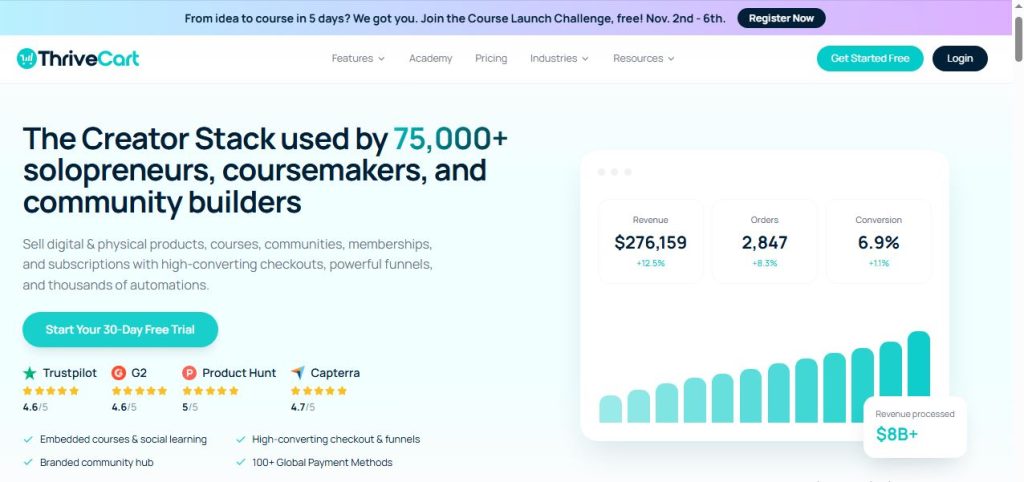
ThriveCart is a fully hosted checkout platform built to help online entrepreneurs sell courses, coaching, SaaS, and digital products through high-converting checkout pages, order bumps, and upsell funnels, without needing separate hosting or plugins.
Its checkout runs as a hosted page, an embed, or a modal, and connects to Stripe, PayPal, Apple Pay, and Google Pay. ThriveCart also bundles course and community hosting into every plan through ThriveCart Academy, and charges 0% in platform transaction fees at every plan tier.
Where ThriveCart narrows compared to Podia is the creator hub around the sale: it has no website or blog builder and no native email marketing, so it connects to those tools through integrations.
Key Features of ThriveCart
- Checkout engine: Embedded or hosted checkout in modal, single-page, or multi-step layouts.
- Order bumps and one-click upsells and downsells: Increase average order value directly in the cart flow.
- Payment plans and subscriptions: Installment billing, recurring payments, and subscription retention tools.
- ThriveCart Academy: Unlimited courses and students, with community and video hosting bundled into every plan.
- A/B testing: Test checkout page variations to improve conversion.
- Built-in affiliate center: Recruit and manage affiliates and joint venture partners from the Pro+ plan.
- Tax and multi-currency tools: Automatic tax calculation and collection, plus local-currency checkout.
- 0% platform transaction fees: No added fee from ThriveCart on top of your payment gateway, at every plan tier.
Get started with ThriveCart’s 30-day free trial →
What Is Podia? (All-in-One Creator Platform Overview)

Podia is an all-in-one creator platform for selling online courses, digital downloads, coaching, live events, and memberships, with a website, blog, community, and email marketing built in.
Every plan includes your website and blog, online courses, digital downloads, coaching, live events, a custom domain, AI tools, and email marketing, with unlimited students and unlimited community members. Plans differ mainly in product limits, community spaces, team seats, and whether you pay a transaction fee. Podia also offers free migration on paid plans, so it can move your content and customers over from another platform.
The catch is that its most useful sales tools, affiliate marketing and upsells, sit behind the mid-tier Shaker plan, and the entry plan takes a 5% cut of every sale.
Key Features of Podia
- Website and blog builder: Build your storefront and content in the same platform.
- Online courses: Host video, audio, text, and file-based lessons with unlimited students.
- Digital downloads and coaching: Sell files, coaching sessions, and live events.
- Community: A built-in community center with unlimited members, organized into spaces.
- Email marketing: Built-in email on every plan, with subscriber limits that rise by plan.
- Affiliate marketing and upsells: Available from the Shaker plan.
- AI tools and Podia Agent: Built-in AI assistance for content and store tasks.
- Free migration: Move content and customers over from other platforms on paid plans.
ThriveCart vs Podia: Core Difference (Checkout Engine vs. Creator Hub)
ThriveCart is built to maximize what happens at checkout: bumps, upsells, payment plans, and conversion testing, with course hosting included. If you already have a website and email tool you like, you’re not paying for overlap.
Podia is built to host your whole creator business in one place: site, products, courses, community, and email, with checkout as one part of it. If you want a simple, all-in-one setup and don’t want to stitch tools together, that’s what it’s designed for.
ThriveCart vs Podia Pricing Cost Compared
ThriveCart pricing:
- Standard: $47/month, or $37/month billed annually
- Pro+: $87/month, or $67/month billed annually (includes the Affiliate Center)
- $495 one-time lifetime license available for the Standard plan
- 0% platform transaction fees at every tier
- 30-day free trial
Podia pricing:
- Mover: $49/month, or $42/month billed annually ($504/year), with a 5% transaction fee
- Shaker: $99/month, or $84/month billed annually ($1,008/year), with 0% transaction fees
- Earthquaker: $179/month, or $150/month billed annually, with 0% transaction fees
- 14-day free trial, no credit card required
On both platforms, your payment processor’s fees, such as Stripe’s 2.9% + 30¢, apply on top.
Where Mover’s 5% fee catches up with you
Podia’s entry plan looks cheap, but the fee adds up. On annual billing, Shaker costs $42 a month more than Mover, so the 5% fee overtakes that savings once you pass about $840 in monthly sales. Past that point, Mover costs more than Shaker, and Shaker also adds affiliates and upsells. ThriveCart has no equivalent fee at any tier.
See current ThriveCart plans and start your free trial →
ThriveCart vs Podia: Checkout, Order Bumps, and Upsells Compared
ThriveCart is cart-first. Its checkout is a dedicated, conversion-focused engine with order bumps, one-click upsells and downsells, A/B testing, and payment plans built in. The Standard plan includes one bump, and Pro+ adds multiple bumps.
Podia has a clean, one-page checkout where buyers pick a plan, enter their details, apply coupons, and pay without leaving the screen. Key points:
- Payments: Stripe, plus PayPal on Shaker and up, with Apple Pay, Google Pay, and local options like iDEAL.
- Taxes and currencies: Automated tax collection across 230 tax jurisdictions and pricing in 20+ currencies.
- Upsells: Attach multiple post-purchase upsells to products, events, or memberships, and Podia shows up to three at once on a single page after the original purchase. It doesn’t offer elaborate downsell branching.
For conversion tools, ThriveCart goes further with order bumps, downsells, and A/B testing. Podia’s checkout is simpler and covers global taxes and currencies well.
ThriveCart vs Podia: Course Creation Features Compared
ThriveCart Academy is included on every plan, with unlimited courses and students, quizzes, certificates, and 100 GB of video storage on the Standard plan.
Podia also hosts courses on every plan with unlimited students:
- Content types: Video, audio, text, PDFs, file attachments, and embeds.
- Drip content: Automated drip releases, set at the section level rather than for individual lessons.
- Student engagement: Lesson discussions, customizable completion certificates, and multiple-choice quizzes.
- Limits: No native grading for open-ended written assignments.
Both cover the basics well. The main difference is product limits: Podia caps products at 50 on Mover and 150 on Shaker, while ThriveCart doesn’t limit how many courses you host.
Community Features Compared
Podia blends its community into your product library, so customers unlock content and chat under one login. Every plan allows unlimited members, grouped into spaces:
- Mover: 25 spaces and no assistant seats
- Shaker: 100 spaces and 1 assistant seat
- Earthquaker: Unlimited spaces and assistant seats
ThriveCart Academy includes a community too, with member limits that depend on your Academy plan: up to 2,000 members on Standard and 10,000 on Pro+.
If you expect a very large community, Podia’s unlimited members is an advantage. ThriveCart’s limits are generous for most creators.
ThriveCart vs Podia: Email Marketing and Website Builder Compared
This is Podia’s clearest advantage. Email marketing and a website and blog builder are built in on every plan, though Mover caps email at 100 subscribers and higher plans raise the limit.
ThriveCart has no native email marketing and no website builder. It connects to external email tools through integrations and Zapier, and handles the checkout, upsell, and fulfilment pages around the sale. If you want your site, email, and courses in one dashboard, that’s a real point in Podia’s favor.
ThriveCart vs Podia: Affiliate Management Compared
Both platforms include built-in affiliate programs, so neither needs a separate tracking tool.
ThriveCart’s Affiliate Center is included from the Pro+ plan ($87/month). It offers granular commission controls, automated PayPal payouts with configurable delay rules, a choice between first-cookie and last-cookie attribution, second-tier affiliate networks, and in-dashboard promo assets.
Podia’s affiliate program is included from the Shaker plan ($99/month):
- Access: Open the program to any student, or keep it invite-only.
- Commissions: Set one platform-wide percentage, or a different percentage per product, such as 10% on a coaching bundle and 40% on an ebook.
- Tracking: Affiliates get their own dashboards and tracking links. If a referred buyer adds upsells during checkout, the affiliate is credited for everything bought in that session.
- Reporting: Podia handles the tracking math and shows what you owe on your financial ledger.
Both are solid. ThriveCart offers more advanced options, such as attribution choice, payout timing rules, and multi-tier networks. Podia’s is simpler to set up and runs inside the same creator hub.
Ease of Use and Learning Curve
Both platforms are built for non-technical creators. Podia is simple because it bundles everything into one place, so there’s less to connect. ThriveCart is fast to set up for checkout and funnels, but you’ll connect your own website and email tools if you want them.
If you want one login for your whole business, Podia is easier. If you already have a site and email tool, ThriveCart slots in without duplicating them.
ThriveCart vs Podia: The Real Cost
Comparing the plans billed annually:
- ThriveCart Standard: $37 × 12 = $444/year
- Podia Mover: $42 × 12 = $504/year, plus a 5% fee on every sale
- ThriveCart Pro+ (with affiliates): $67 × 12 = $804/year
- Podia Shaker (with affiliates and upsells): $84 × 12 = $1,008/year
At equal feature levels, ThriveCart Pro+ costs about $204 less per year than Podia Shaker. At the entry level, ThriveCart Standard costs $60 less than Mover before the fee, and Mover’s 5% fee makes the gap much larger as sales grow. ThriveCart also has a one-time $495 lifetime option, and Podia has none.
The comparison isn’t entirely like for like. Podia’s price includes a website builder and email marketing, which you’d otherwise pay for separately alongside ThriveCart.
ThriveCart Pros and Cons
ThriveCart Pros
- 0% transaction fees at every plan
- Stronger checkout and funnel tools: bumps, downsells, A/B testing
- Unlimited courses and students on every plan
- Lower cost at comparable feature levels, plus a lifetime option
- 30-day free trial
ThriveCart Cons
- No website builder or native email marketing
- Affiliate Center requires the Pro+ plan
- Community member limits on each Academy plan
Podia Pros and Cons
Podia Pros
- All-in-one: website, courses, community, and email in one platform
- Unlimited students and unlimited community members
- Free migration on paid plans
- Simple, single-page checkout with strong global tax and currency support
- 14-day free trial with no credit card
Podia Cons
- 5% transaction fee on the Mover plan
- Affiliates and upsells require the Shaker plan
- Product, space, and email subscriber limits on lower plans
- No elaborate downsell branching and no native grading for written assignments
- No lifetime pricing option
Who Should Use ThriveCart?
- Course creators and digital sellers focused on conversion, with bumps, upsells, and testing
- Sellers who already have a website and email tool and don’t want to pay for overlap
- Anyone who wants 0% fees at every tier, or the option of a one-time lifetime license
If that sounds like you, ThriveCart is worth a closer look.
Who Should Use Podia?
- Creators who want their website, courses, community, and email in one simple platform
- Sellers with large communities who want unlimited members
- Creators moving from another platform who want free migration
ThriveCart vs Podia Alternatives
If neither platform feels like the right fit, these alternatives are worth a look.
Systeme.io
Systeme.io is an all-in-one marketing platform that combines funnels, email marketing, course hosting, and a built-in affiliate program, with a free plan to start.
Best for: Beginners and budget-conscious sellers who want funnels, email, and courses in one place.
Want the full breakdown? Read our Systeme.io vs ThriveCart comparison.
ClickFunnels
ClickFunnels is a full funnel-building ecosystem with unlimited funnels and pages, native email automation, course hosting, and its own Backpack affiliate system on higher plans.
Best for: Businesses that want a complete funnel ecosystem and are prepared to pay a premium for it.
Want the full breakdown? Read our ThriveCart vs ClickFunnels comparison.
SamCart
SamCart is a premium, conversion-focused checkout platform with AI tools, a courses app, and upsell tools on its Pro plan.
Best for: Course creators and coaches who want a polished checkout experience.
Want the full breakdown? Read our ThriveCart vs SamCart comparison.
Kartra
Kartra is an all-in-one business platform with funnels, email, CRM, memberships, and a native affiliate system on its Growth plan.
Best for: Businesses that want email, CRM, and memberships in one subscription.
Want the full breakdown? Read our ThriveCart vs Kartra comparison.
Final Verdict on ThriveCart vs Podia
Choose ThriveCart if you want a conversion-focused checkout with order bumps, upsells, and A/B testing, 0% transaction fees at every tier, and unlimited course hosting, and you’re fine connecting your own website and email tools.
Choose Podia if you want one simple platform for your website, courses, community, and email, with unlimited students and community members, and you’re ready to step up to the Shaker plan to avoid the 5% fee and unlock affiliates and upsells.
The real decision comes down to focus: a specialized checkout engine for selling your offers, or an all-in-one creator hub that runs the whole business. Both host courses well, so choose based on how much of your stack you want in one place and how much you want to pay for it.
FAQs About ThriveCart vs Podia
Is ThriveCart better than Podia?
It depends on what you need. ThriveCart is the better fit if you want stronger checkout and funnel tools, 0% fees at every tier, and lower costs at comparable feature levels. Podia is the better fit if you want a website, courses, community, and email in one simple platform.
Does Podia charge transaction fees?
Only on the Mover plan, which charges a 5% fee on every sale. The Shaker and Earthquaker plans charge 0%. Your payment processor’s fees apply on every plan.
Does ThriveCart charge transaction fees?
No. ThriveCart charges 0% in platform transaction fees at every plan tier. You only pay your payment gateway’s standard rate, such as Stripe’s 2.9% + 30¢.
Which is cheaper, ThriveCart or Podia?
ThriveCart is cheaper at comparable feature levels. ThriveCart Pro+ runs about $804/year billed annually, compared with $1,008/year for Podia Shaker. Podia’s price does include a website builder and email marketing, which ThriveCart doesn’t.
Does Podia have affiliate management?
Yes, on the Shaker plan and up. You can open the program to any student or keep it invite-only, and set one commission percentage or a different one per product.
Can I host courses on both platforms?
Yes. ThriveCart Academy is included on every plan with unlimited courses and students. Podia also hosts courses on every plan with unlimited students, though it caps total products by plan.
Does ThriveCart have email marketing?
No. ThriveCart connects to external email tools through integrations and Zapier. Podia includes email marketing on every plan.
Which is better for beginners?
Podia is simpler if you want everything in one place. ThriveCart is easy to start with if you mainly need checkout and course hosting and already have a website and email tool.
Is there a free trial for ThriveCart or Podia?
ThriveCart offers a 30-day free trial on its monthly plans. Podia offers a 14-day free trial with no credit card required.
Ready to try it? Start your ThriveCart free trial and see how the checkout and funnels work for your offer.