
ThriveCart and WooCommerce aren’t quite built for the same job. WooCommerce is a full e-commerce platform that runs on WordPress, built for running an entire online store with a product catalog, inventory, and shipping. ThriveCart is a focused checkout and funnel platform, built for selling courses, coaching, subscriptions, and digital products through conversion-optimized checkout pages, order bumps, and upsells.
If you’re weighing ThriveCart vs WooCommerce for your own business, this guide breaks down what each actually does, what they really cost once you add up the pieces, and which one fits the way you sell. It also covers ThriveCart’s Fall 2026 Release, five new features that change how it handles page building, international selling, and subscription revenue.
ThriveCart vs WooCommerce: Feature Comparison Table
| Feature | ThriveCart | WooCommerce |
|---|---|---|
| What it is | Checkout, funnel & revenue platform | Full e-commerce platform (WordPress plugin) |
| Hosting required | No, fully hosted | Yes, self-hosted WordPress + hosting |
| Product catalog / storefront | No, single-offer checkout pages and funnels | Yes, full storefront with product pages, categories, search |
| Page builder | ThrivePages, built in (Fall 2026) | WordPress themes and page builders |
| Order bumps & upsell funnels | Yes, built in (1 bump on Standard, multiple bumps on Pro+) | Requires a plugin (e.g., FunnelKit) |
| Multi-currency checkout | Yes, Advanced Adaptive Pricing (Fall 2026) | Typically requires an extension |
| Subscription retention tools | Yes, retention offers, anchored billing, subscription bumps | Typically requires extensions |
| Affiliate management | Yes, built in on Pro+ ($87/month) | Requires a separate plugin |
| Physical products | Physical product delivery, shipping pricing, print-on-demand integrations | Full inventory, shipping zones, and catalog tools |
| Course/community hosting | Yes (ThriveCart Academy) | Requires a plugin (e.g., LearnDash) |
| Coding/dev required | No | Depends (basic setup is low-code; customization usually needs a developer) |
| Platform transaction fee | 0% | 0% |
| Pricing model | Monthly plans or $495 lifetime license | Free core plugin; real cost comes from hosting, theme, and plugins |
Want to see ThriveCart in action?
What Is ThriveCart?
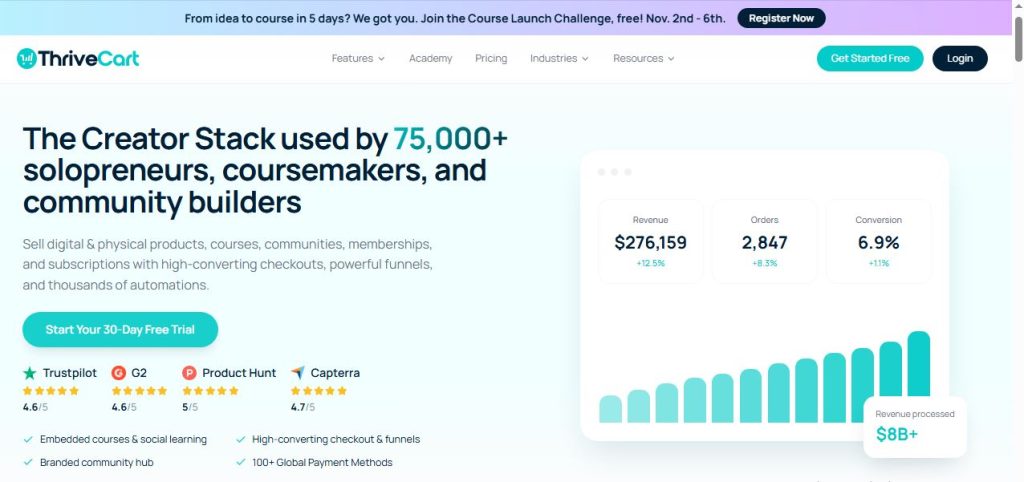
ThriveCart is a checkout and sales platform built to help you sell courses, coaching, SaaS, and digital products with high-converting checkout pages, order bumps, and upsell funnels. It’s fully hosted, so there’s no separate hosting or plugin setup involved. ThriveCart has more than 75,000 businesses using it, with over $8 billion in sales processed.
Beyond the checkout itself, it has grown into a broader revenue platform: subscription management, affiliate tools, revenue reporting, course and community hosting through ThriveCart Academy, and fulfilment for digital and physical products.
Key Features of ThriveCart
- Checkout engine: Embedded or hosted checkout in modal, single-page, or multi-step layouts that match your brand.
- Order bumps and one-click upsells and downsells: Increase average order value with funnel sequencing built into the cart.
- 100+ global payment options: Stripe, PayPal, and ThrivePay Installments, plus multi-currency checkouts.
- Flexible payment methods: One-time payments, ongoing subscriptions, time-limited subscriptions, split pay, buy now pay later, and pay-as-you-like.
- Subscription management: Retention offers, anchored billing, dunning, and upgrade and downgrade flows.
- Built-in affiliate center: Recruit and manage affiliates and joint venture partners from Pro+.
- ThriveCart Academy: Course and community hosting bundled into every plan.
- Revenue reporting: Dashboards, funnel analytics, LTV analysis, and cohort reporting.
- Flexible pricing: Monthly billing, annual billing, or the still-available one-time lifetime license for the Standard plan.
Get started with ThriveCart’s 30-day free trial →
What Is WooCommerce?
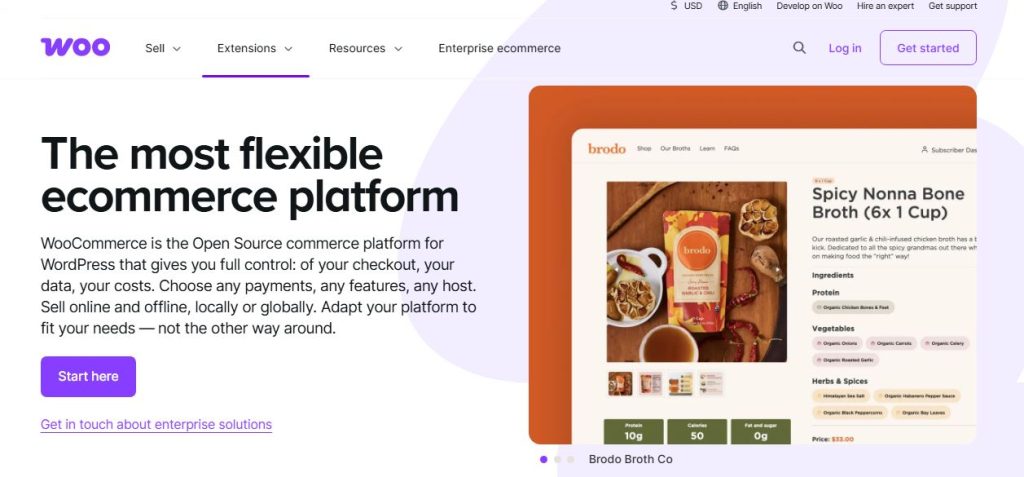
WooCommerce is a free, open-source e-commerce plugin for WordPress that turns a WordPress site into a full online store. It’s built for businesses that want complete control over their storefront, product catalog, and checkout experience, with a massive library of extensions to add almost any feature.
Key Features of WooCommerce
- Full product catalog: Build a storefront with categories, product pages, search, and filtering.
- Inventory and shipping management: Track stock levels and configure shipping rates and zones.
- Extension marketplace: Thousands of plugins and extensions to add subscriptions, bookings, memberships, and more.
- Payment gateway flexibility: Connect Stripe, PayPal, and dozens of other processors.
- Full design control: Customize every part of your store through WordPress themes and page builders.
- 0% platform transaction fee: WooCommerce doesn’t take a cut of your sales.
Core Difference: Full Store vs. Focused Checkout
This is the most important thing to understand before comparing pricing or features line by line. WooCommerce is built to be a complete store: a browsable catalog, multiple products, inventory tracking, and shipping logic. ThriveCart is built to sell a specific offer through a conversion-optimized checkout and funnel, without the overhead of running a full storefront.
If you’re selling one course, a handful of digital products, subscriptions, or coaching packages through a sales page, ThriveCart’s focused approach is usually faster to set up and requires no separate hosting or plugin management. If you’re selling many physical or digital products that customers browse and compare, WooCommerce’s full storefront is built for that in a way ThriveCart isn’t.
ThriveCart vs WooCommerce: Checkout Experience Compared
ThriveCart gives you a dedicated, conversion-focused checkout engine with order bumps and upsells built in from day one, hosted entirely by ThriveCart. You can run it as a hosted page, embed it on your own site, or open it as a modal, in single-page or multi-step formats.
WooCommerce’s native checkout is functional but basic on its own. To get order bumps, one-click upsells, A/B testing, or a modern sliding cart, most stores add a plugin like FunnelKit, which layers funnel and conversion features on top of the standard WooCommerce checkout.
5 New ThriveCart Features to Build Better Pages, Sell in Any Currency, and Keep More Subscription Revenue
ThriveCart’s Fall 2026 Release added five features aimed at three goals: building better pages, selling in any currency, and growing and keeping more subscription revenue. ThriveCart lists all five on its Standard plan, though availability can vary by plan, product type, and payment processor.
ThrivePages: A Built-In Visual Page Builder
ThrivePages is ThriveCart’s new mobile-first visual editor for checkout, upsell, downsell, and fulfilment pages, with native video and digital product hosting and no coding. Because it’s built into ThriveCart, your pages stay connected to your products, payments, offers, and fulfilment. With WooCommerce, page design lives in your WordPress theme or a separate page builder, which gives you more freedom but means more tools to manage.
Advanced Adaptive Pricing: Sell in Any Currency
Advanced Adaptive Pricing lets you sell in local currencies with market-specific pricing and custom regional fulfilment, while geo-targeting ad sets through currency-specific URL paths. It works with Stripe Connect+ or PayPal Enhanced. For sellers with an international audience, that means a multi-currency checkout without stitching together extra plugins, which is something WooCommerce stores typically handle through extensions.
Subscription Bumps: Add Recurring Revenue at Checkout
Subscription Bumps let you offer one or more recurring products or services alongside a primary purchase, so a one-time buyer can add a membership or service plan in the same checkout. It turns a single sale into the start of recurring revenue without a separate funnel step.
Anchored Subscriptions: One Predictable Billing Date
Anchored Subscriptions let you choose one billing date each month for every new subscriber. ThriveCart updates the existing subscription automatically, with no new checkout or card details needed, and ThriveCart says the consistent billing date may help reduce failed payments.
Retention Offers: Save the Cancellation
Retention Offers present a subscriber with a downgrade, pause, or discount before they complete a cancellation. Instead of losing a customer outright, you give them an alternative at the exact moment they’re about to leave.
Together, these five features push ThriveCart further from a simple cart and toward a full revenue platform. On WooCommerce, the same capabilities usually mean assembling several extensions and keeping them compatible with each other.
Try the Fall 2026 features yourself with ThriveCart →
ThriveCart vs WooCommerce Revenue Optimization: Order Bumps, Upsells, and Funnel Sequencing
Revenue optimization is where ThriveCart’s cart-first design shows. Its toolkit includes:
- Order bumps: One bump on the Standard plan, multiple order bumps on Pro+.
- One-click upsells and downsells: Offer upgrades or a discounted final offer right after purchase, with automated pro-rating and access management.
- Funnel sequencing: Build automated sales funnels with step sequencing and behavioral rules.
- Conditional offer paths (Pro+): Personalize offers dynamically based on customer behavior.
- A/B testing: Split test checkout pages or entire funnels.
- Cart abandonment recovery: Automated reminders to win back lost sales.
- Coupons and post-purchase offers: Run promotions and targeted offers after checkout.
ThriveCart reports average order value lifts of up to 118% for merchants who combine multiple bumps, upsells, and downsells, though that is the company’s own figure and results will vary by offer and audience.
WooCommerce doesn’t include most of this natively. Stores typically add FunnelKit or a similar plugin for bumps, upsells, and A/B testing, and handle cart abandonment recovery through additional tools. It’s achievable, but it means more moving pieces.
ThriveCart vs WooCommerce Revenue Intelligence: Reporting and Analytics
ThriveCart now ships a reporting layer built around revenue, not just orders:
- Revenue dashboards: Revenue, revenue breakdown, trends, new subscriptions, and refunds.
- Funnel analytics (Pro+): Top-performing funnels by orders and average order value.
- UTM conversion tracking (Pro+): Tie traffic sources to sales.
- Subscription analytics (Pro+): Recurring revenue and subscription performance metrics.
- Churn and retention insights, LTV analysis, and cohort reporting: Spot churn patterns, measure lifetime value, and analyze revenue by customer cohort.
- Heatmaps by location (Pro+): See sales performance across regions.
WooCommerce includes basic built-in sales reports, but deeper funnel, cohort, and lifetime value reporting typically means adding extensions or connecting an external analytics tool.
ThriveCart vs WooCommerce Fulfilment: Digital, Physical, and Print-on-Demand
ThriveCart’s fulfilment tools go further than a digital-only cart:
- Digital delivery: Instantly deliver digital products after purchase.
- Courses and memberships: Host courses through ThriveCart Academy.
- Physical product delivery: Manage shipping, fulfilment, and physical product sales with dynamic or fixed shipping pricing.
- Print on demand: Integrate with platforms like Lulu and Printful.
That makes ThriveCart a workable option for selling a few physical products or print-on-demand items alongside digital offers. It isn’t a full inventory system, though. For stores that need stock tracking across many SKUs, shipping zones, and a browsable catalog, WooCommerce remains the stronger fit.
ThriveCart vs WooCommerce: Product Catalog and Storefront
This is where WooCommerce clearly wins. It’s built for multi-product stores, with categories, search, filtering, and full inventory and shipping management for physical goods. ThriveCart isn’t designed for this: it’s built around single-offer checkout pages and funnels, not a browsable catalog. If you’re running a store with many products customers need to browse and compare, WooCommerce is the better fit by design.
ThriveCart vs WooCommerce: Subscription and Recurring Revenue Management
For subscription businesses, ThriveCart bundles a lot into one platform:
- Subscription lifecycle management (Pro+): Handle trials, renewals, retries, and cancellations.
- Upgrade, downgrade, and plan-switching flows (Pro+): Prorated billing for smooth plan changes.
- Failed payment recovery (Pro+): Email dunning that recovers failed payments automatically.
- Retention offers: Downgrade, pause, or discount offers before cancellation.
- Anchored subscriptions and subscription bumps: Predictable billing dates and recurring add-ons at checkout.
- Customer hub: A self-service portal where customers manage purchases and subscriptions.
WooCommerce can run subscriptions too, but typically through a paid subscriptions extension plus additional tools for dunning and retention.
ThriveCart vs WooCommerce Global Selling: Multi-Currency, Payments, and Tax
ThriveCart supports Stripe, PayPal, and ThrivePay Installments, with checkout in 100+ countries. ThrivePay Installments lets customers split a purchase over 3, 6, or 12 months while the seller is paid upfront, according to ThriveCart. Sales tax automation is included on the Standard plan, with global VAT and GST tax automation and tax-inclusive pricing on Pro+.
WooCommerce connects to most major gateways and can handle international selling, but multi-currency pricing, tax automation, and installment payments typically rely on extensions and your chosen payment provider.
ThriveCart vs WooCommerce Funnels, Upsells, and Affiliate Tools
ThriveCart includes order bumps, one-click upsells, downsells, and funnel sequencing from the Standard plan. Its built-in Affiliate Center, along with joint venture contracts, automated revenue splits and payouts, and affiliate analytics, is part of the Pro+ plan at $87/month ($67/month billed annually).
WooCommerce doesn’t include any of this natively. To match ThriveCart’s funnel features, most stores add FunnelKit (or a similar plugin) for checkout optimization, order bumps, and upsells, plus a separate affiliate plugin for partner management. It’s achievable, but it means adding and maintaining more moving pieces. If you plan to run an affiliate program, ThriveCart’s Pro+ plan gives you the whole system in one place.
ThriveCart vs WooCommerce: Course and Membership Features
ThriveCart bundles ThriveCart Academy into every plan. The Standard plan includes the Starter Academy plan, with unlimited courses and students, up to 2,000 community members, course bundles, quizzes, and certificates, and 100 GB of video storage. Pro+ includes the Growth plan, with up to 10,000 community members, custom domains, and 500 GB of video storage.
WooCommerce requires a separate plugin, such as LearnDash, to add course and membership functionality. That gives you more flexibility in how courses are structured and presented, but it’s an added cost and another plugin to maintain.
ThriveCart vs WooCommerce: Integrations, Support, and Security
ThriveCart offers 100+ direct integrations, plus Zapier, API access, and the ability to embed checkout anywhere. Support includes ThriveIQ, which ThriveCart describes as AI and human assistance 24/7, and the platform is PCI DSS and GDPR compliant.
WooCommerce has one of the largest plugin ecosystems of any e-commerce platform and an open API. Support and security depend more on your host, theme, and each plugin vendor, so you carry more responsibility for updates and compatibility.
ThriveCart vs WooCommerce: Ease of Use and Setup
ThriveCart is built for speed: no hosting to manage, no plugins to configure, and a no-code checkout and page builder you can launch quickly.
WooCommerce requires more setup: choosing and managing hosting, installing WordPress and WooCommerce, selecting a theme, and adding plugins for the features you need. It offers far more control and customization in exchange for that extra setup and ongoing maintenance.
ThriveCart vs WooCommerce Pricing Comparison
ThriveCart pricing:
- Standard: $47/month, or $37/month billed annually
- Pro+: $87/month, or $67/month billed annually
- A $495 one-time lifetime license is still available for the Standard plan
- 0% platform transaction fees
- 30-day free trial on monthly plans
Standard covers unlimited products and funnels, checkout, one bump, upsells and downsells, A/B testing, cart abandonment recovery, and the Fall 2026 features. Pro+ adds the affiliate center, multiple order bumps, subscription dunning, tax-inclusive pricing, custom branding, and business intelligence reporting.
WooCommerce pricing starts at $0 for the core plugin, but a real, functioning store adds up fast:
- Hosting: roughly $5-30/month for shared hosting, or $70-250/month for managed WooCommerce hosting (Kinsta, WP Engine, Pressable)
- FunnelKit (for order bumps, upsells, A/B testing, and funnel analytics): roughly $99.50-299.50/year depending on plan, at current introductory pricing (renewal rates are typically higher)
- Course plugin (e.g., LearnDash), subscription tools, and a separate affiliate plugin: additional annual cost on top of the above
- WooCommerce also charges 0% in platform transaction fees, same as ThriveCart; you’ll still pay your payment gateway’s standard processing fees either way
What does each setup cost per year?
- ThriveCart Standard (annual billing): $37 × 12 = $444/year
- ThriveCart Pro+ (annual billing): $67 × 12 = $804/year
- WooCommerce with hosting, a funnel plugin, and an affiliate plugin: often around $500-1,500+ per year, before a course plugin or any developer time
Put together, “WooCommerce is free” is true for the plugin itself, but not for a feature set comparable to ThriveCart’s. A WooCommerce stack with funnels and affiliates often lands in the same range as ThriveCart Pro+, or higher, just split across more vendors.
ThriveCart vs WooCommerce Pros and Cons
ThriveCart Pros
- Built-in order bumps, upsells, funnel sequencing, and A/B testing
- Fall 2026 additions: ThrivePages, multi-currency pricing, and subscription retention tools
- Affiliate center, JV contracts, and automated payouts on Pro+
- No hosting or plugin management required
- Option of a one-time lifetime license
- 0% platform transaction fee
ThriveCart Cons
- Not built for multi-product, browsable storefronts
- Not a full inventory management system for physical products
- Affiliate center, multiple bumps, and dunning require the Pro+ plan
- Less design freedom than a fully custom WordPress site
WooCommerce Pros
- Full control over storefront design and functionality
- Built for multi-product catalogs, inventory, and shipping
- Massive extension marketplace for nearly any feature
- 0% platform transaction fee
WooCommerce Cons
- Core plugin alone doesn’t include funnels, upsells, subscription retention, or affiliate tools
- Real costs add up across hosting, plugins, and maintenance
- Requires more setup time and ongoing plugin management
Who Should Use ThriveCart?
- Course creators, coaches, and info product sellers who want a fast, no-code checkout and funnel
- Subscription sellers who want retention offers, anchored billing, and dunning in one platform
- Sellers with an international audience who want multi-currency pricing without extra plugins
- Anyone who wants order bumps, upsells, and affiliate management built in without adding plugins
- Sellers who want a one-time pricing option instead of ongoing subscription costs
If that sounds like you, ThriveCart is worth a closer look.
Who Should Use WooCommerce?
- Businesses selling physical products that need inventory and shipping management
- Stores with many products that customers need to browse, filter, and compare
- Teams that want full design control and are comfortable managing WordPress and plugins
Can You Use Both Together?
Some sellers run both: a WooCommerce store for their main catalog of products, and ThriveCart for a specific high-converting funnel offer, such as a flagship course or a limited-time bundle. If you already have a WooCommerce store and want a dedicated, conversion-optimized checkout for one particular offer, running ThriveCart alongside it is a common approach.
ThriveCart vs WooCommerce Alternatives
If neither platform feels like the right fit, these four alternatives are worth a look.
Systeme.io
Systeme.io is an all-in-one marketing platform that combines funnels, email marketing, course hosting, and a built-in affiliate program, with a free plan to start. It replaces several separate tools with one low-cost login.
Best for: Beginners and budget-conscious sellers who want funnels, email, and courses in one place.
Want the full breakdown? Read our Systeme.io vs ThriveCart comparison.
ClickFunnels
ClickFunnels is a full funnel-building ecosystem with unlimited funnels and pages, native email automation, course hosting, community features, and its own Backpack affiliate system on higher plans.
Best for: Businesses that want a complete funnel ecosystem and are prepared to pay a premium for it.
Want the full breakdown? Read our ThriveCart vs ClickFunnels comparison.
SamCart
SamCart is a premium, conversion-focused checkout platform with AI tools, a courses app, and upsell tools on its Pro plan.
Best for: Course creators and coaches who want a polished checkout experience and are willing to pay more for it.
Want the full breakdown? Read our ThriveCart vs SamCart comparison.
PayKickstart
PayKickstart is a billing and checkout platform with strong subscription management, dunning tools, and built-in affiliate management on flat monthly tiers.
Best for: Subscription and SaaS businesses that need recurring billing and recovery tools.
Want the full breakdown? Read our ThriveCart vs PayKickstart comparison.
Final Verdict on ThriveCart vs WooCommerce
Choose ThriveCart if you’re selling a focused offer like a course, coaching program, subscription, or digital product, and you want built-in funnels, order bumps, multi-currency checkout, subscription retention tools, and affiliate management without managing hosting or plugins. Choose WooCommerce if you’re running a multi-product store, especially with physical goods, and want full control over your storefront, catalog, and design.
Both charge 0% in platform transaction fees, so the real decision comes down to how much control and catalog complexity you need, versus how much setup and plugin management you’re willing to take on. With the Fall 2026 Release, ThriveCart has also closed several gaps that used to push sellers toward a custom WordPress build, especially around page building, international pricing, and subscription revenue.
FAQs About ThriveCart vs WooCommerce
Is ThriveCart better than WooCommerce for digital products?
For a focused offer like a course or coaching program, ThriveCart is usually faster to set up and includes funnel features out of the box, with affiliate tools on Pro+. For a store selling many digital or physical products, WooCommerce’s full catalog and storefront tools are a better fit.
Does WooCommerce have order bumps and upsells?
Not natively. The core WooCommerce plugin handles basic checkout, so most stores add a plugin like FunnelKit to get order bumps, one-click upsells, and A/B testing.
What are the new features in ThriveCart’s Fall 2026 Release?
The five features are ThrivePages (a built-in visual page builder), Advanced Adaptive Pricing (local currency pricing), Subscription Bumps (recurring offers at checkout), Anchored Subscriptions (one monthly billing date), and Retention Offers (downgrade, pause, or discount offers before cancellation).
Can ThriveCart sell in multiple currencies?
Yes. ThriveCart offers multi-currency checkouts, and its Fall 2026 Advanced Adaptive Pricing feature adds market-specific pricing in local currencies. It works with Stripe Connect+ or PayPal Enhanced.
Can ThriveCart sell physical products?
Yes. ThriveCart supports physical product delivery with dynamic or fixed shipping pricing and print-on-demand integrations such as Lulu and Printful. It isn’t a full inventory management system, so WooCommerce is stronger for large physical catalogs.
Which plan do I need for ThriveCart’s affiliate center?
ThriveCart’s Affiliate Center requires the Pro+ plan, $87/month, or $67/month billed annually. It isn’t included on the Standard plan.
Which is cheaper overall?
ThriveCart’s cost is predictable: a flat monthly fee or a one-time lifetime license, with 0% platform transaction fees. WooCommerce’s core plugin is free, but a comparable feature set, once you add hosting, a funnel plugin, and an affiliate plugin, often lands around $500-1,500+ per year, so the actual cost depends heavily on which plugins and hosting tier you choose.
Can I use ThriveCart with WordPress and WooCommerce together?
Yes. Some sellers run a WooCommerce store for their main catalog and use ThriveCart separately for a specific funnel offer, since the two tools don’t have to replace each other.
Ready to try it? Start your ThriveCart free trial and see how the checkout, funnels, and Fall 2026 features work for your offer.
Features and pricing are subject to change. Always verify current details on each vendor’s official website before purchasing.