
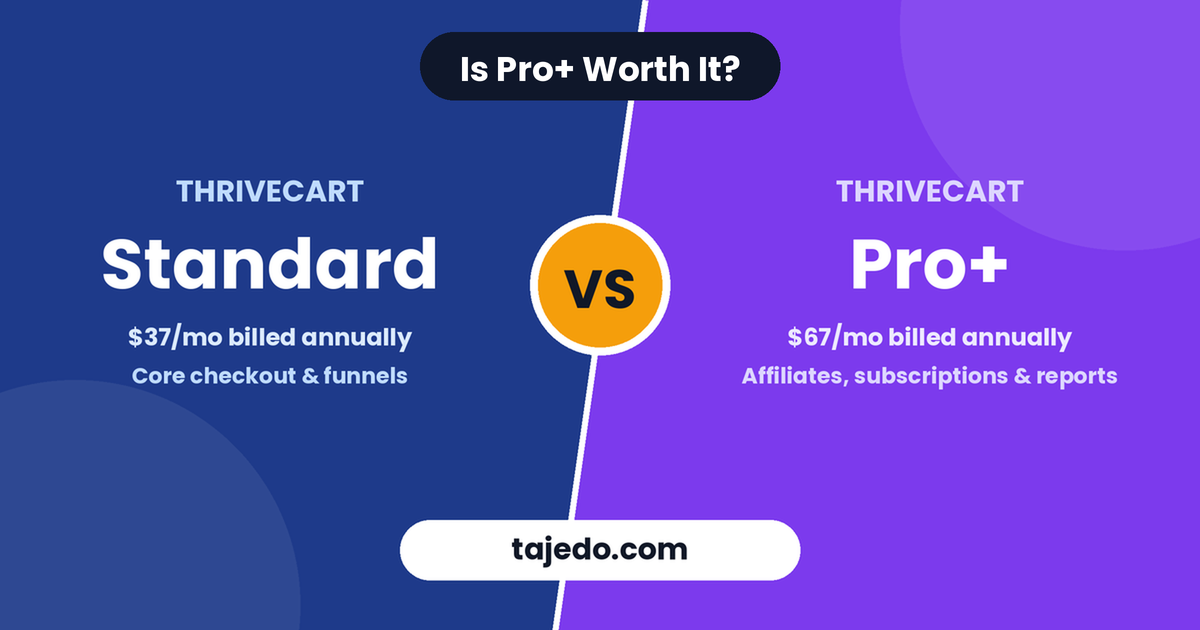
If you are comparing ThriveCart vs ThriveCart Pro Plus, there is one important thing to understand: ThriveCart Pro+ is an upgraded version of ThriveCart, not a completely different platform. Both plans share the same core checkout and sales features. However, Pro+ adds advanced affiliate management, subscription tools, reporting, multiple order bumps, and business management features.
The real question is whether these additional features justify the higher price.
For beginners selling a single digital product, ThriveCart Standard may be enough. However, creators running affiliate programs, managing recurring subscriptions, or scaling multiple products can benefit significantly from Pro+.
In this comparison, we will examine ThriveCart Standard vs Pro+, including pricing, features, affiliate management, subscriptions, reporting, and practical use cases. You will also learn when upgrading makes financial sense and when you can comfortably stay on Standard.
Quick Summary: ThriveCart vs ThriveCart Pro+
ThriveCart Standard is the better starting point for creators who need reliable checkout pages, sales funnels, and basic product-selling tools. ThriveCart Pro+ is better for businesses that need advanced affiliate management, subscription automation, detailed reporting, and additional revenue optimization features.
Here is a quick comparison.
| Feature | ThriveCart Standard | ThriveCart Pro+ |
|---|---|---|
| Custom checkout pages | ✅ Yes | ✅ Yes |
| Unlimited products and funnels | ✅ Yes | ✅ Yes |
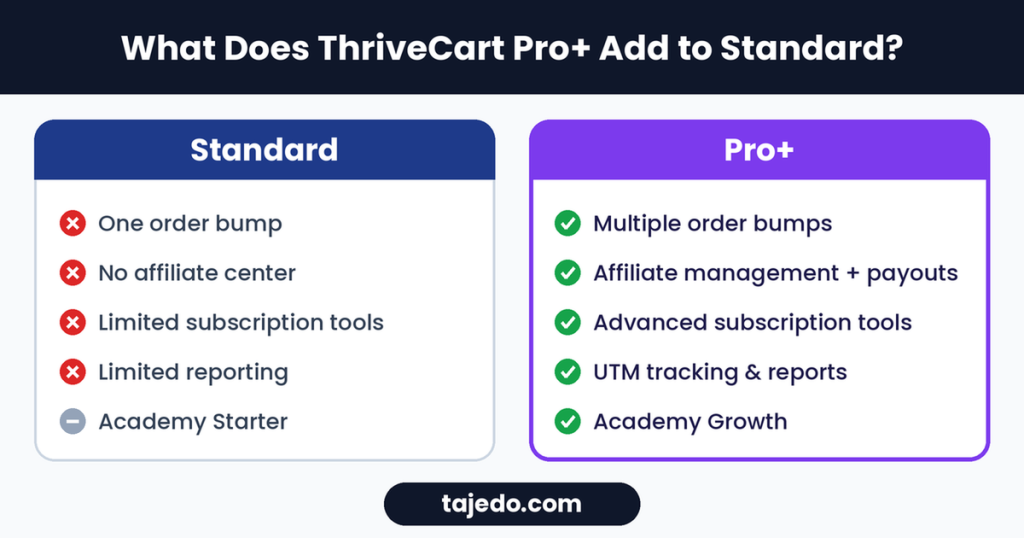
| Order bumps | One | Multiple |
| One-click upsells | ✅ Yes | ✅ Yes |
| One-click downsells | ✅ Yes | ✅ Yes |
| A/B testing | ✅ Yes | ✅ Yes |
| Abandoned cart recovery | ✅ Yes | ✅ Yes |
| Affiliate management | ❌ No | ✅ Yes |
| Automated affiliate payouts | ❌ No | ✅ Yes |
| Joint venture contracts | ❌ No | ✅ Yes |
| Advanced subscription management | Limited | ✅ Yes |
| Subscription analytics | Basic | Advanced |
| Advanced reporting | Limited | ✅ Yes |
| UTM tracking | ❌ No | ✅ Yes |
| Custom branding and domains | Limited | ✅ Yes |
| Multi-user permissions | ❌ No | ✅ Yes |
| Course hosting | ThriveCart Academy Starter | ThriveCart Academy Growth |
The biggest difference is not the checkout experience. It is the additional tools available to businesses that want to automate more of their operations and improve revenue performance.
Want to see both plans in action? Try ThriveCart here and choose the plan that fits your business.
What Is ThriveCart Standard?
ThriveCart Standard is the core version of ThriveCart. It provides the essential tools needed to sell digital products, online courses, memberships, services, and other offers.
Its primary purpose is to help businesses create optimized checkout experiences and increase the value of each transaction.
You can use Standard to build checkout pages, create sales funnels, offer payment plans, and sell products without paying ThriveCart transaction fees.
ThriveCart Standard Features
Standard includes several important selling tools.
- Custom checkout pages: Create branded checkout pages for your products.
- Unlimited products and funnels: Sell multiple products without being restricted to a small product limit.
- Order bumps: Offer a complementary product during checkout.
- One-click upsells and downsells: Present additional offers after a customer purchases.
- A/B testing: Compare checkout variations to identify better-performing versions.
- Abandoned cart recovery: Follow up with customers who leave before completing a purchase.
- Payment options: Support one-time payments, subscriptions, and payment plans.
- Sales tax automation: Access sales tax automation features.
- ThriveCart Academy: Access the included course and community hosting plan.
These features make Standard a capable option for independent creators and small businesses.
For example, you could sell a $49 ebook and offer a $19 template bundle as an order bump. After the purchase, you could present a $99 advanced product as an upsell.
You do not need Pro+ to build that basic sales funnel.
Who Should Choose ThriveCart Standard?
Standard is suitable for:
- Beginners launching their first digital product.
- Creators selling ebooks, templates, and downloadable resources.
- Coaches selling individual sessions or packages.
- Course creators with straightforward product funnels.
- Businesses that do not need a native affiliate program.
- Sellers who want to keep their software expenses manageable.
If your business is still validating its first product, Standard provides enough functionality to get started.
What Is ThriveCart Pro+?
ThriveCart Pro+ is an optional upgrade that adds advanced business, revenue optimization, and automation capabilities to ThriveCart.
It includes Standard’s core checkout features while introducing tools designed for businesses that need more control over affiliates, subscriptions, reporting, and team operations.
Pro+ also includes features previously available under ThriveCart’s older Pro upgrade. The former Pro offering was discontinued as a separate purchase in April 2025, with its functionality moved into Pro+.
ThriveCart Pro+ Features
Pro+ includes several advanced capabilities.
- Multiple order bumps.
- Built-in affiliate management.
- Automated affiliate payouts.
- Joint venture contracts and revenue sharing.
- Advanced subscription management.
- Subscription dunning and payment recovery.
- Subscription upgrades and downgrades.
- Advanced reporting and business intelligence.
- UTM tracking.
- Funnel comparison reports.
- Custom branding and domains.
- Multi-user permissions.
- Client-use accounts.
- Advanced tax tools.
- Additional payment and checkout capabilities.
These features are particularly useful when your business has multiple revenue streams or more complicated operational requirements.
For example, a course creator could manage an affiliate program, track recurring revenue, analyze different sales funnels, and automate failed subscription payment recovery from the same platform.
That is where Pro+ becomes more valuable.
ThriveCart vs ThriveCart Pro+: Feature-by-Feature Comparison
Let’s examine the most important differences between the two plans.
1. Checkout Pages and Sales Funnels
Winner: Standard is sufficient for basic selling; Pro+ is better for advanced funnel optimization.
Both Standard and Pro+ provide ThriveCart’s core checkout functionality.
You can customize checkout pages, accept payments, build funnels, and offer additional products after a purchase.
You also get features such as:
- One-click upsells.
- One-click downsells.
- Checkout A/B testing.
- Abandoned cart recovery.
- Payment plans.
- Subscription billing.
The difference is that Pro+ provides additional tools that help you optimize more complex selling processes.
For example, multiple order bumps allow you to present several complementary offers during checkout instead of being limited to a single bump.
If you sell one product with one upsell, Standard may be enough. If you have a larger product catalog and more sophisticated checkout strategy, Pro+ becomes more attractive.
2. Multiple Order Bumps
Winner: ThriveCart Pro+.
Order bumps allow customers to add an additional product to their purchase without going through another checkout.
Standard supports one order bump per checkout. Pro+ allows multiple order bumps, with current ThriveCart documentation describing support for up to six.
This can be useful when you sell products with several relevant add-ons.
For example, a creator selling an SEO course could offer:
Product| Price Main SEO course| $99 Keyword research template| $19 SEO checklist| $9 Content planning spreadsheet| $15
With multiple order bumps, customers can select additional products that complement the main course.
However, more offers do not automatically produce more revenue. Too many checkout options can distract buyers.
Use order bumps strategically. Every offer should solve a relevant problem for the customer.
3. Affiliate Management
Winner: ThriveCart Pro+.
This is one of the most important differences between Standard and Pro+.
Standard does not include ThriveCart’s native affiliate management functionality. Pro+ provides an affiliate center that allows you to recruit partners, manage commissions, track referrals, and handle affiliate payments.
You can use the affiliate center to:
- Create affiliate programs.
- Set commission structures.
- Manage affiliate applications.
- Generate affiliate links.
- Track affiliate sales.
- Monitor affiliate performance.
- Manage commission payments.
- Automate eligible affiliate payouts.
This makes Pro+ particularly attractive to creators who want to grow their businesses through affiliate marketing.
Imagine selling a $199 course and offering affiliates a 30% commission.
An affiliate who generates 20 sales would produce $1,194 in commissions, based on the commission rate and assuming all sales qualify.
Managing those relationships manually can become difficult as your affiliate network grows.
Pro+ helps centralize the process.
If you are building an affiliate program around your digital products, the affiliate center may be one of the strongest reasons to upgrade.
4. Joint Venture Contracts and Revenue Sharing
Winner: ThriveCart Pro+.
Joint ventures allow businesses to collaborate on products, promotions, or revenue-generating projects.
For example, two creators might launch a course together. One handles content creation, while the other manages marketing.
They may agree to split revenue according to a specific percentage.
Pro+ includes joint venture contracts and revenue-sharing functionality. This can help manage partner arrangements and automate eligible revenue splits.
Standard does not include these advanced JV tools.
If you regularly collaborate with other creators or run joint product launches, Pro+ can simplify your operations.
However, automated revenue sharing does not replace proper legal agreements. You should still establish clear terms covering ownership, responsibilities, refunds, and payment obligations.
5. Subscription Management and Recurring Revenue
Winner: ThriveCart Pro+.
Both plans support subscription billing. However, Pro+ adds more advanced subscription management features.
These include:
- Subscription upgrades and downgrades.
- Automated payment recovery.
- Subscription dunning.
- Advanced subscription analytics.
- Recurring revenue reporting.
- Additional subscription management tools.
Dunning is particularly important.
When a customer’s payment fails, the system can help recover the payment through automated notifications and retry processes.
Without payment recovery, failed transactions may lead to unnecessary cancellations.
Pro+ also provides tools for analyzing recurring revenue and subscription performance.
For example, you can monitor subscription metrics and compare funnel performance to understand where recurring revenue is improving or declining.
This makes Pro+ more useful for businesses selling:
- Memberships.
- Monthly subscriptions.
- Recurring coaching programs.
- Subscription-based digital products.
- Online communities.
If recurring revenue represents a significant part of your business, these tools can justify the upgrade.
6. Analytics, Tracking, and Reporting
Winner: ThriveCart Pro+.
Standard includes essential selling and checkout optimization tools. Pro+ provides more advanced reporting capabilities.
These include:
- UTM tracking.
- Product and sales reports.
- Subscription metrics.
- Funnel comparison reports.
- Coupon reporting.
- Business intelligence reporting.
- Revenue projections.
UTM tracking is particularly valuable for businesses using multiple marketing channels.
You can identify which campaigns or traffic sources are generating sales and use that information to improve your marketing strategy.
For example, you might promote a digital product through:
- Email marketing.
- YouTube.
- Organic search.
- Paid advertising.
- Affiliate partners.
Tracking performance helps you identify which sources generate the most valuable customers.
This information can guide your next marketing investment.
7. Custom Branding, Domains, and Team Management
Winner: ThriveCart Pro+.
Pro+ includes additional customization and administration features.
These are especially useful when your business has multiple team members or manages products for clients.
Relevant features include:
- Custom domains.
- Additional branding controls.
- Multi-user permissions.
- Client-use accounts.
For example, an agency managing checkout systems for several clients may benefit from separate accounts and access permissions.
A solo creator selling one ebook probably does not need these features immediately.
However, they become more useful as your business grows.
8. ThriveCart Academy
Both plans include access to ThriveCart Academy, but the included Academy tier differs.
Standard includes Academy Starter, while Pro+ includes Academy Growth.
This distinction matters if you intend to host courses and communities directly inside ThriveCart.
Academy provides course and community functionality alongside the selling tools. However, creators who require a highly specialized learning environment should still compare dedicated learning platforms.
For a deeper comparison, read our guide:
“ThriveCart vs Thinkific: Which Is Better for Selling Online Courses?” (https://tajedo.com/thrivecart-vs-thinkific/)
The important point is that Pro+ upgrades both the selling infrastructure and the included Academy access.
ThriveCart Standard vs Pro+ Pricing
Pricing is one of the biggest considerations when choosing between the two plans.
ThriveCart introduced monthly pricing in July 2026, alongside its existing lifetime licensing option.
The publicly announced monthly pricing is:
| Plan | Monthly Billing | Annual Billing Equivalent |
|---|---|---|
| ThriveCart Standard | $47/month | $37/month |
| ThriveCart Pro+ | $87/month | $67/month |
Annual billing requires payment for the full year upfront.
Pro+ therefore costs more than Standard, but it includes additional features that may reduce the need for separate tools or manual work.
ThriveCart has also continued offering a lifetime Standard license. Availability and pricing can change, so confirm the current offer on the official pricing page before purchasing.
Important: Existing ThriveCart customers may have different licensing arrangements from new monthly subscribers. If you purchased an older Standard or Pro license, check your account’s upgrade options rather than assuming the current subscription pricing applies to you.
You can also review the official product information here:
Ready to get started? Check the latest ThriveCart plans and pricing here.
Is ThriveCart Pro+ Worth the Extra Cost?
ThriveCart Pro+ is worth considering when its additional features help you earn more revenue, save time, or manage your business more efficiently.
However, paying for advanced features before you need them can increase your operating expenses unnecessarily.
The best way to evaluate Pro+ is to compare its additional cost with the value you expect to receive.
Example: A Creator Selling Digital Products
Imagine you sell a digital product and generate $2,000 in monthly revenue.
You are considering upgrading from Standard to Pro+ because you want affiliate management and advanced reporting.
If you pay $37/month for Standard annually and $67/month for Pro+ annually, the difference is $30/month.
That is $360 per year in additional software cost.
If Pro+ helps you generate more than $360 in additional annual profit, the upgrade may be financially worthwhile.
However, the calculation should include the full business picture.
Consider:
- Additional sales generated through affiliates.
- Revenue recovered from failed subscription payments.
- Time saved managing affiliate commissions.
- Improved conversion rates from better funnel optimization.
- Reduced need for separate reporting tools.
- Additional Academy functionality you would otherwise pay for.
Do not upgrade simply because the premium plan has more features.
Upgrade because those features solve a real business problem.
When Should You Upgrade to ThriveCart Pro+?
You do not necessarily need Pro+ when launching your first product.
A practical approach is to begin with Standard and upgrade when your business requires additional capabilities.
Upgrade to Pro+ If:
- You want to launch your own affiliate program.
- You need automated affiliate payouts.
- You manage joint ventures or revenue-sharing partnerships.
- You sell recurring subscriptions or memberships.
- You want more advanced subscription analytics.
- You need multiple order bumps.
- You want advanced revenue reporting and UTM tracking.
- You manage several team members or client accounts.
- You need additional Academy Growth features.
These are clear use cases for Pro+.
Stay on Standard If:
- You are launching your first digital product.
- You sell only a few products.
- You do not need a native affiliate program.
- Your checkout funnels are relatively simple.
- You have limited recurring revenue.
- You do not need advanced reporting.
- You want to keep your monthly expenses low.
Standard remains a capable selling platform.
You can upgrade later as your business requirements change.
ThriveCart vs ThriveCart Pro+: Which Plan Is Best for Different Businesses?
The best plan depends on how you sell and how much operational complexity your business has.
Business Type| Recommended Plan| Why Beginner selling ebooks| Standard| Core checkout features are sufficient Creator selling templates| Standard| Simple products and funnels Solo course creator| Standard or Pro+| Upgrade if affiliate or advanced subscription tools are needed Membership business| Pro+| Advanced recurring revenue management Affiliate-driven course business| Pro+| Native affiliate management and automated payouts Business running joint launches| Pro+| JV contracts and revenue-sharing tools Digital product business with multiple offers| Standard or Pro+| Pro+ supports multiple order bumps Agency managing client accounts| Pro+| Multi-user permissions and client-use accounts Established subscription business| Pro+| Advanced subscription analytics and payment recovery
If you are unsure, start by identifying which features you will actually use during the next three to six months.
That is a better approach than buying the highest plan immediately.
ThriveCart Pro+ vs Standard: Pros and Cons
ThriveCart Standard Pros
- Lower cost than Pro+.
- Includes powerful checkout and funnel tools.
- Supports unlimited products and funnels.
- Includes upsells and downsells.
- Suitable for beginners and independent creators.
- Provides a straightforward starting point.
ThriveCart Standard Cons
- No native affiliate center.
- Limited to one order bump.
- Does not include advanced Pro+ subscription tools.
- Lacks Pro+ reporting and UTM tracking.
- No advanced team and client permissions.
ThriveCart Pro+ Pros
- Native affiliate management.
- Automated affiliate payouts.
- Multiple order bumps.
- Advanced subscription management.
- More detailed reporting.
- Joint venture and revenue-sharing tools.
- Advanced team and client management.
- Higher-tier Academy access.
ThriveCart Pro+ Cons
- Higher recurring cost.
- Some features may be unnecessary for beginners.
- Requires a business model that can benefit from advanced functionality.
- Does not eliminate the need for every external business tool.
For example, you may still need a dedicated email marketing platform, even if you use Pro+.
ThriveCart Standard vs Pro+: Final Verdict
ThriveCart Standard is the best starting point for most beginners. ThriveCart Pro+ is the better long-term option for businesses that need affiliate management, subscription automation, and advanced reporting.
Both plans provide the core ThriveCart checkout and sales funnel experience.
The decision comes down to the additional capabilities.
If you sell one or two digital products and do not need an affiliate program, Standard is likely sufficient.
If you want to recruit affiliates, manage recurring subscriptions, optimize several funnels, or automate more of your operations, Pro+ becomes more attractive.
The most sensible approach is to start with the plan that meets your current requirements. Then upgrade when you can identify a clear business benefit.
You can explore ThriveCart’s current offers here:
Try ThriveCart and Explore Its Plans
Before purchasing, review the current plan features, pricing, and licensing terms.
FAQs About ThriveCart vs ThriveCart Pro+
Is ThriveCart Pro+ the same as ThriveCart Pro?
No. ThriveCart Pro was the previous optional upgrade available from 2019 until April 2025. Pro+ replaced it as the advanced upgrade and includes features previously associated with Pro, alongside additional functionality.
Is ThriveCart Pro+ worth it?
Pro+ is worth considering if you need affiliate management, automated payouts, advanced subscription tools, multiple order bumps, joint venture contracts, or detailed reporting. If you only need basic checkout and funnel functionality, Standard may be sufficient.
Can I upgrade from ThriveCart Standard to Pro+ later?
Yes. ThriveCart allows eligible Standard users to upgrade to Pro+. You can choose the advanced plan when starting or upgrade later when your business needs additional features. Check your account and current upgrade terms.
Does ThriveCart Standard include affiliate management?
No. Native affiliate management is included with Pro+ and eligible legacy or client accounts. Standard users who want to run their own affiliate programs need an upgrade or another affiliate management solution.
Does ThriveCart Pro+ include automated affiliate payouts?
Yes. Pro+ includes automated affiliate payout functionality, subject to the available payment methods, payout settings, and eligibility requirements.
Can I sell courses with ThriveCart Standard?
Yes. ThriveCart includes course hosting through ThriveCart Academy. Standard includes Academy Starter, while Pro+ includes Academy Growth.
Does ThriveCart Pro+ charge transaction fees?
ThriveCart advertises 0% platform transaction fees on its plans. However, payment processors such as Stripe and PayPal may charge their own processing fees. Those fees are separate from ThriveCart’s subscription cost.
What is the difference between ThriveCart Standard and Pro+ pricing?
At the publicly announced monthly pricing, Standard costs $47 per month or $37 per month equivalent with annual billing. Pro+ costs $87 per month or $67 per month equivalent with annual billing. Pricing and offers can change, so verify the current checkout page.
Is ThriveCart Pro+ better than Standard for beginners?
Not necessarily. Beginners who are launching their first product usually do not need advanced affiliate management or subscription reporting immediately. Standard is often the more economical starting point.
Can ThriveCart Pro+ replace an email marketing platform?
No. Pro+ provides sales, checkout, affiliate, subscription, and reporting features. You will generally still need an email marketing platform for subscriber management, newsletters, and advanced email campaigns.
Related Guides
If you are comparing ThriveCart with other platforms, these Tajedo guides can help you make a better decision:
- “ThriveCart vs Thinkific: Which Is Better for Selling Online Courses?”
- “9 Best ThriveCart Alternatives in 2026”
- “13 Best Platforms for Selling Digital Products”
This article may contain affiliate links. If you purchase through qualifying links, we may earn a commission at no additional cost to you. We recommend products based on their features, usefulness, and suitability for different business needs.